许宸扬
Animation Director / Concept Artist
“在中国元素不存在之处寻找中国美学。”
"Seeking Chinese aesthetics where Chinese elements are not explicitly present."

00 / WAGA

WagaAnime Co-op

01 / 已上线动画短片

Published Animation Shorts

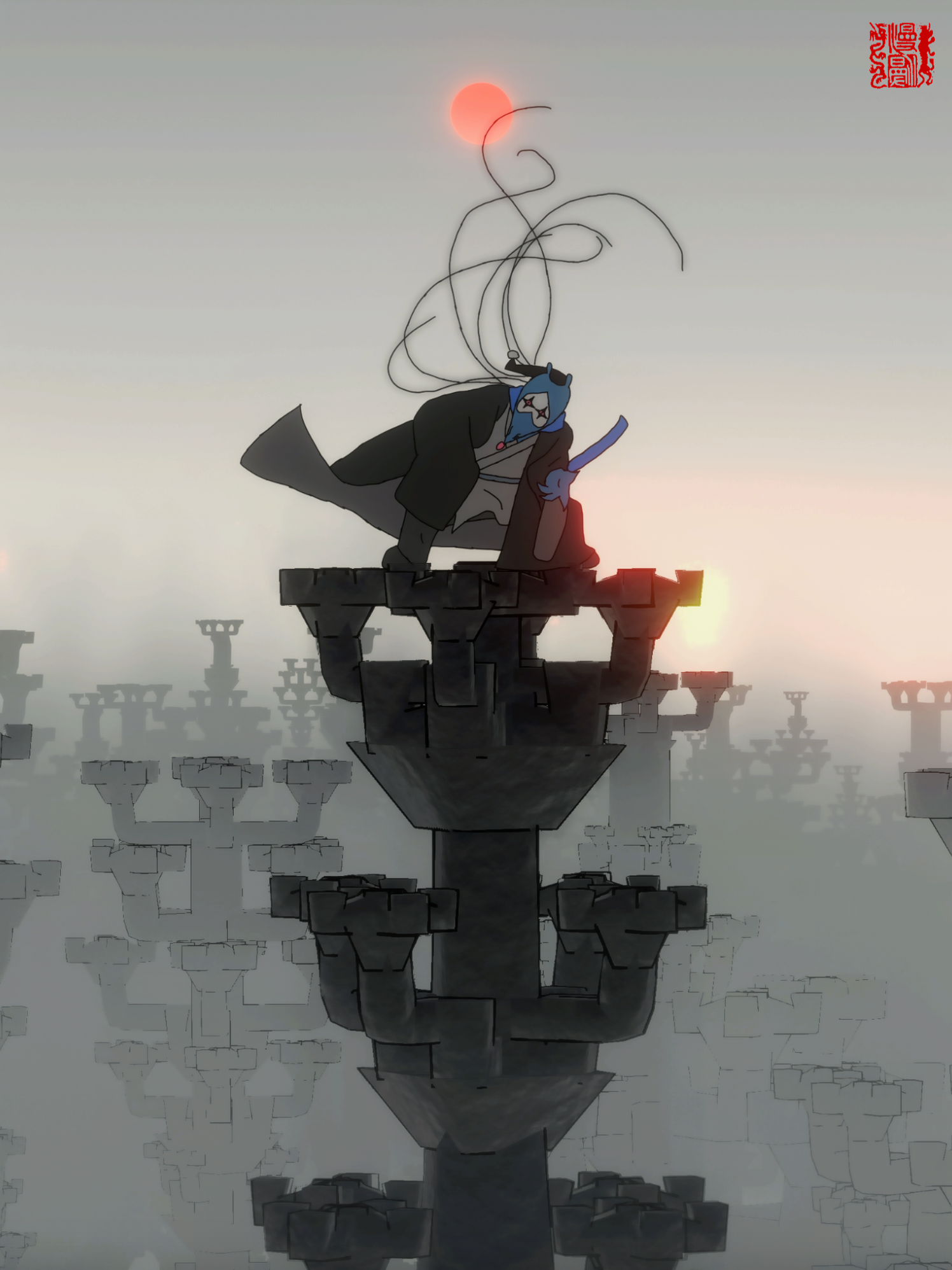
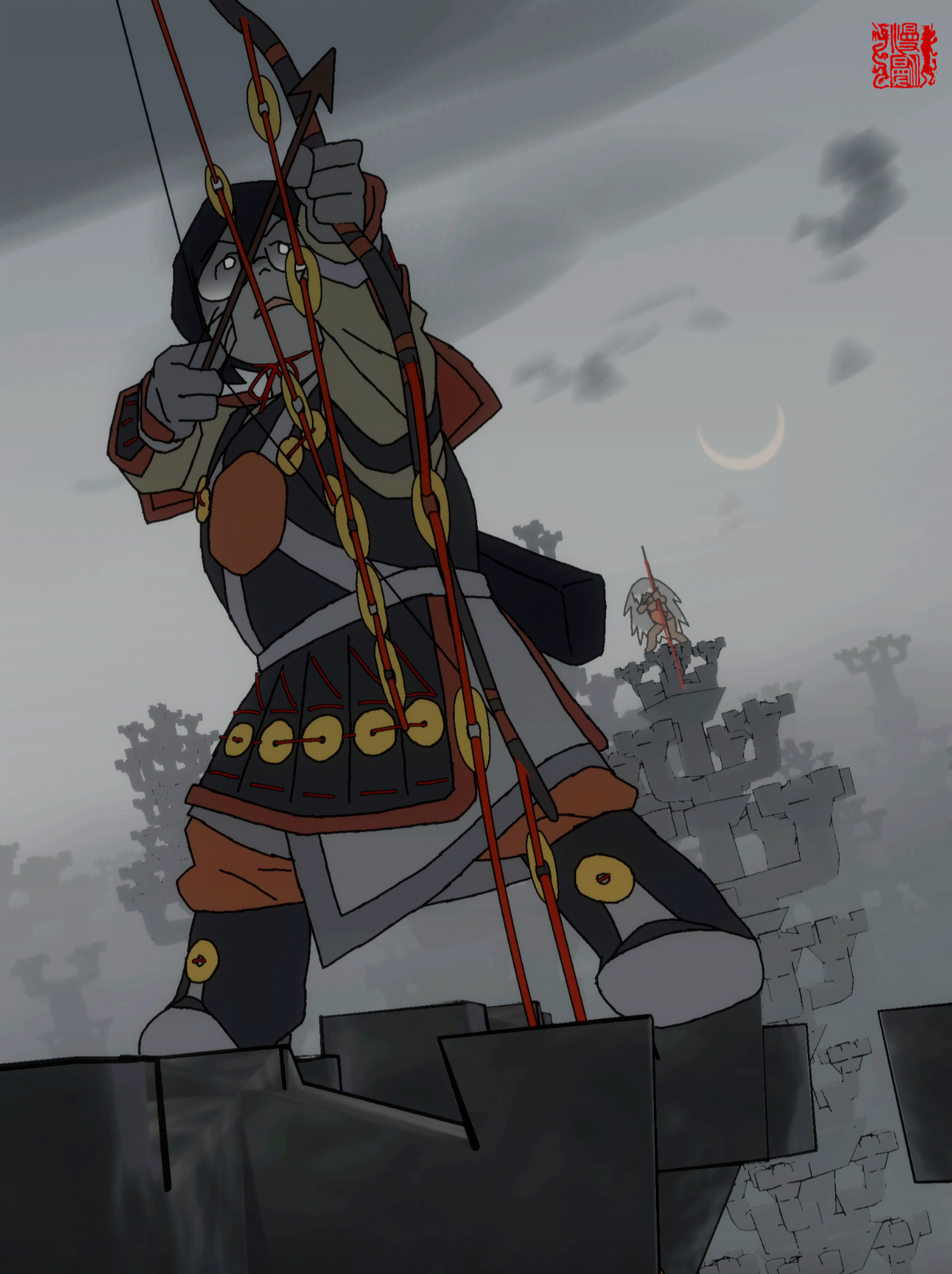
三诗人

Three Poets
导演 / 编剧 / 分镜:许宸扬
原画:廖心悦 雷谨如 仇昕 蔡雨帆
美术 / 绘景:许宸扬 蔡雨帆
3D / 后期 / 制片:余亚婷
声音:许宸扬 Director / Screenplay / Storyboard: Xu Chenyang
Key Animation: Liao Xinyue Lei Jinru Qiu Xin Cai Yufan
Art Direction / Background: Xu Chenyang Cai Yufan
3D / Post-production / Producer: Yu Yating
Sound: Xu Chenyang

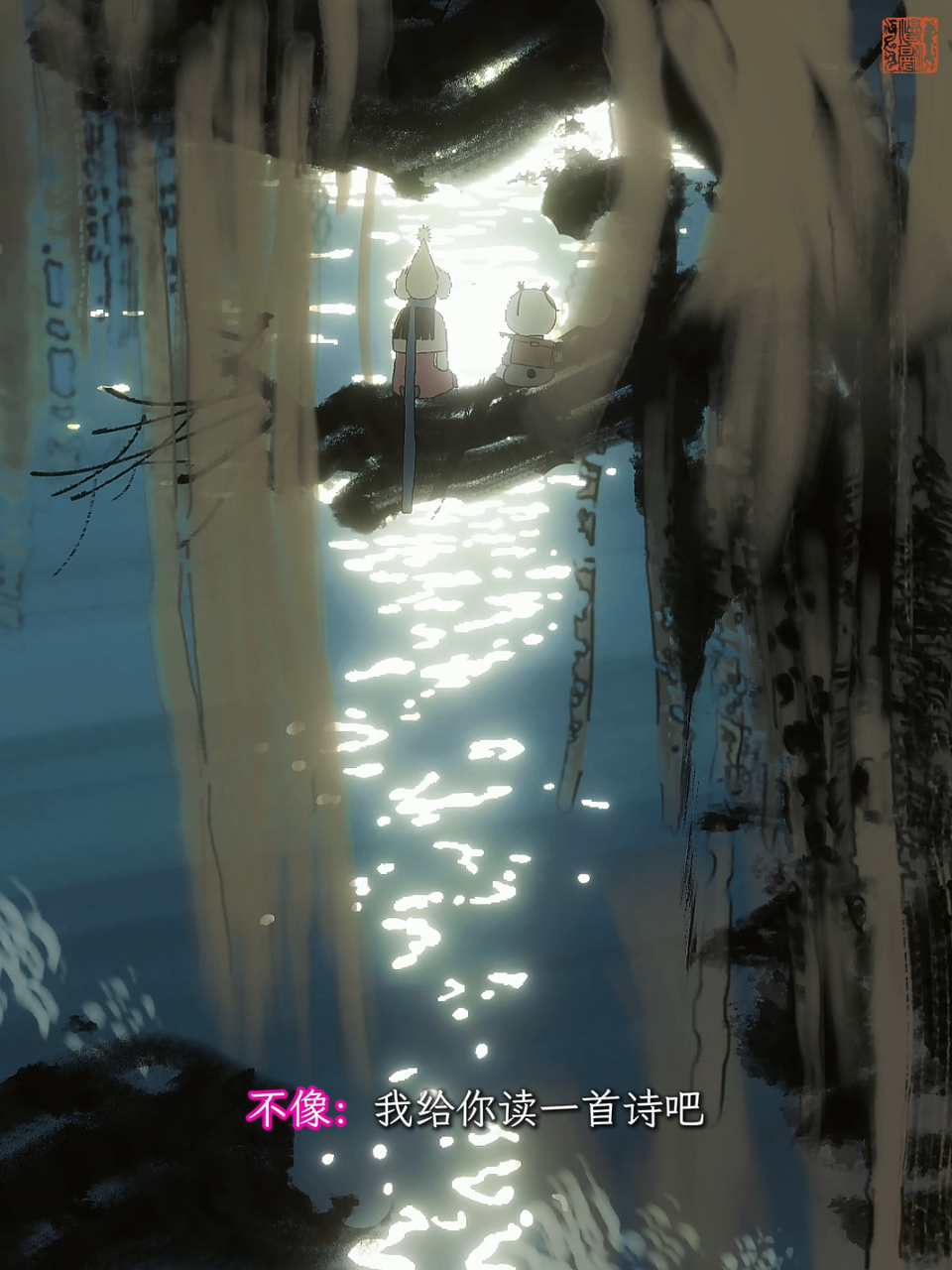
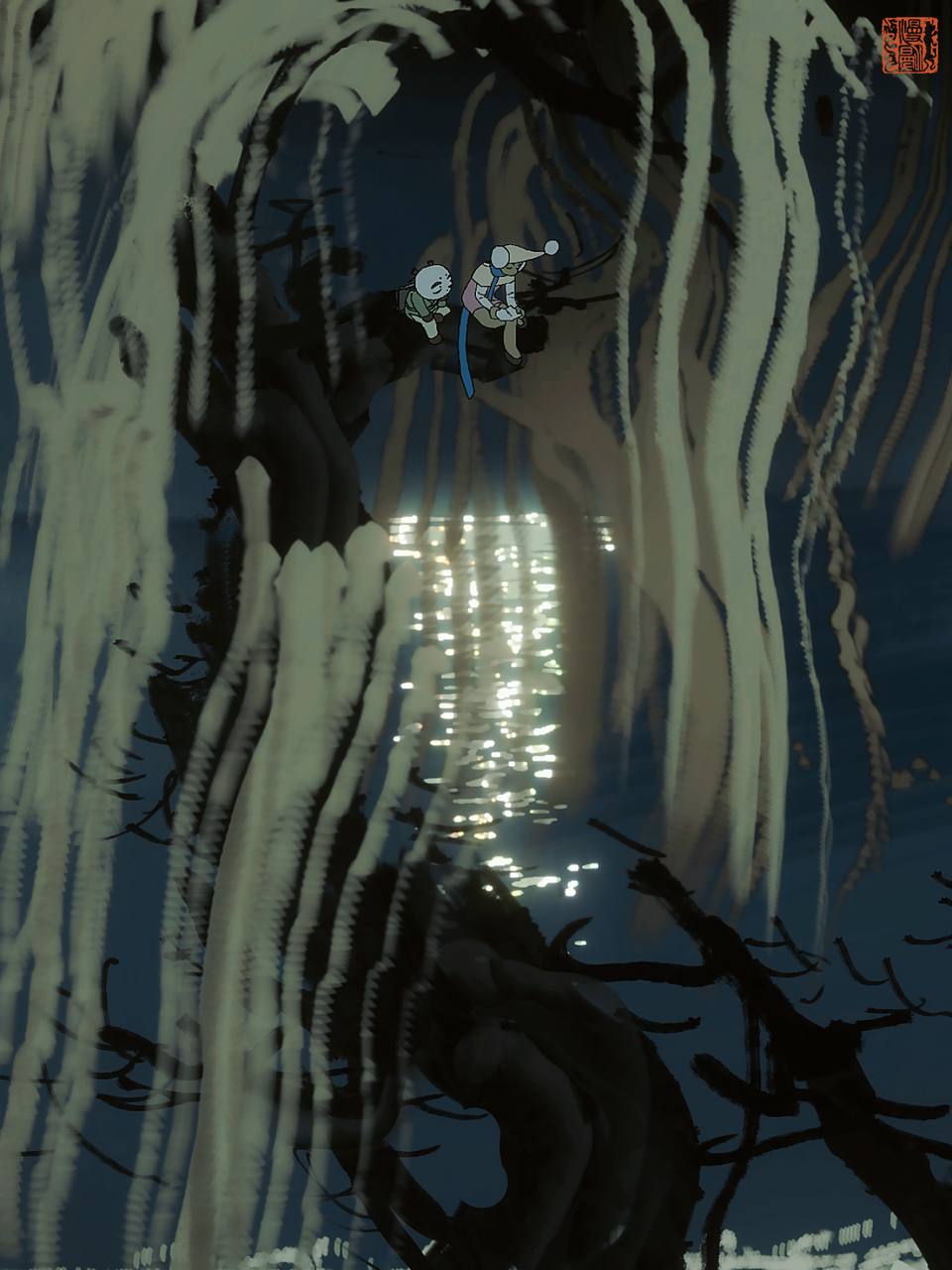
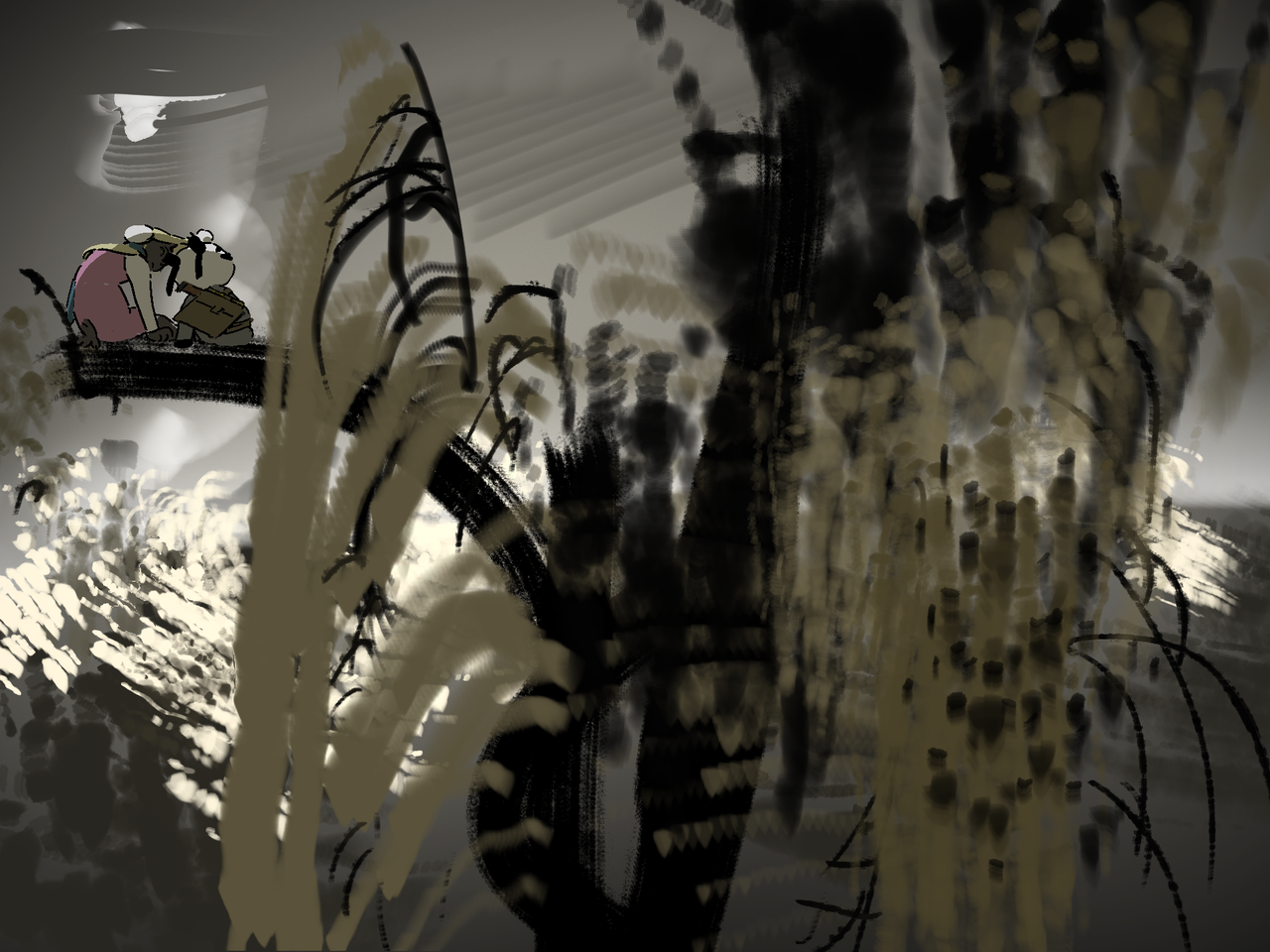
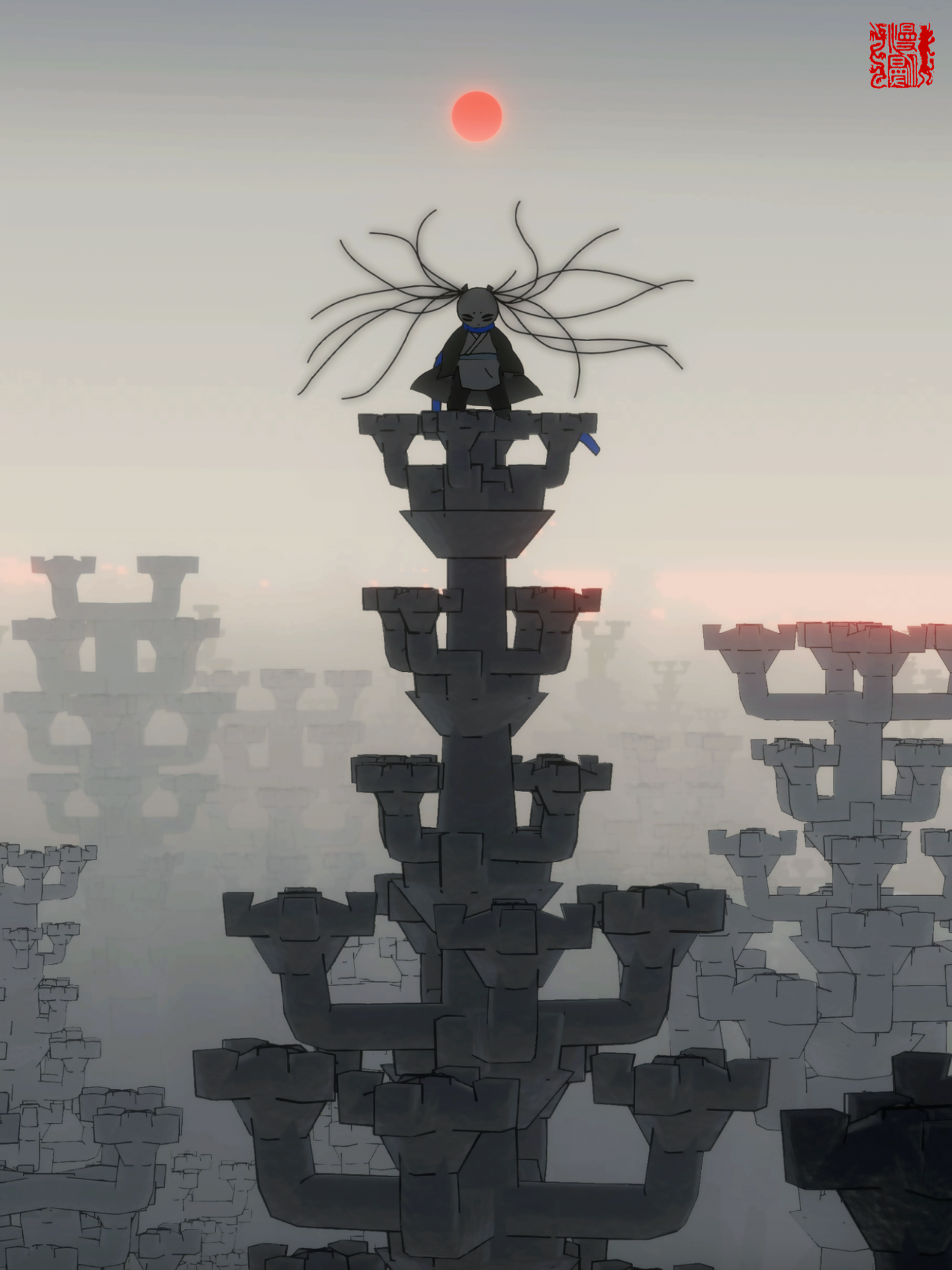
漫漫在理想国的大地上奔走寻找三位测量理想国的诗人。Bilibili 27万播放,5.7万点赞。

Manman running across the land of Utopia, searching for three poets. 270k views on Bilibili.

剧照 · Stills
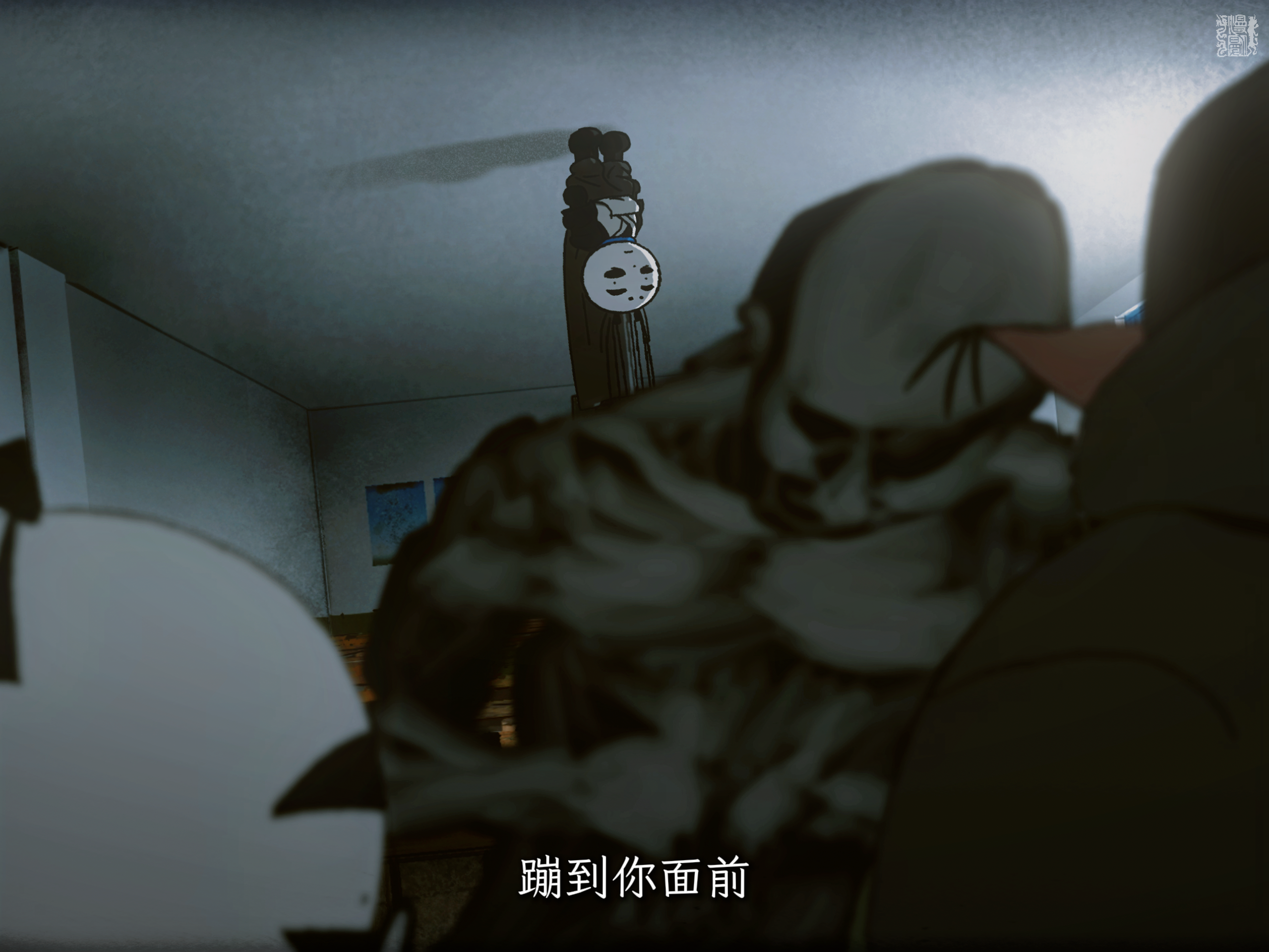
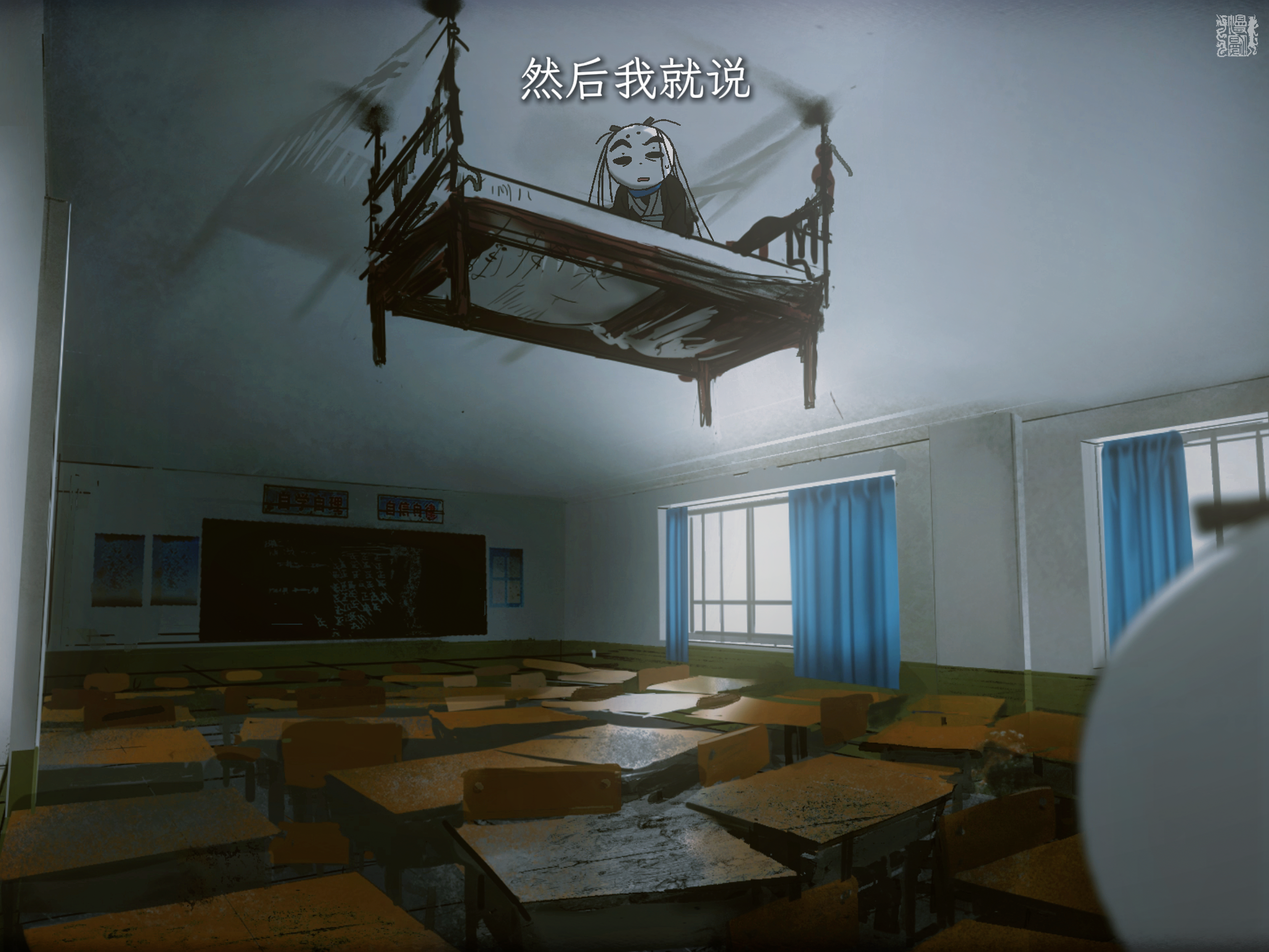
三诗人剧照 三诗人剧照 三诗人剧照 三诗人剧照
三诗人剧照

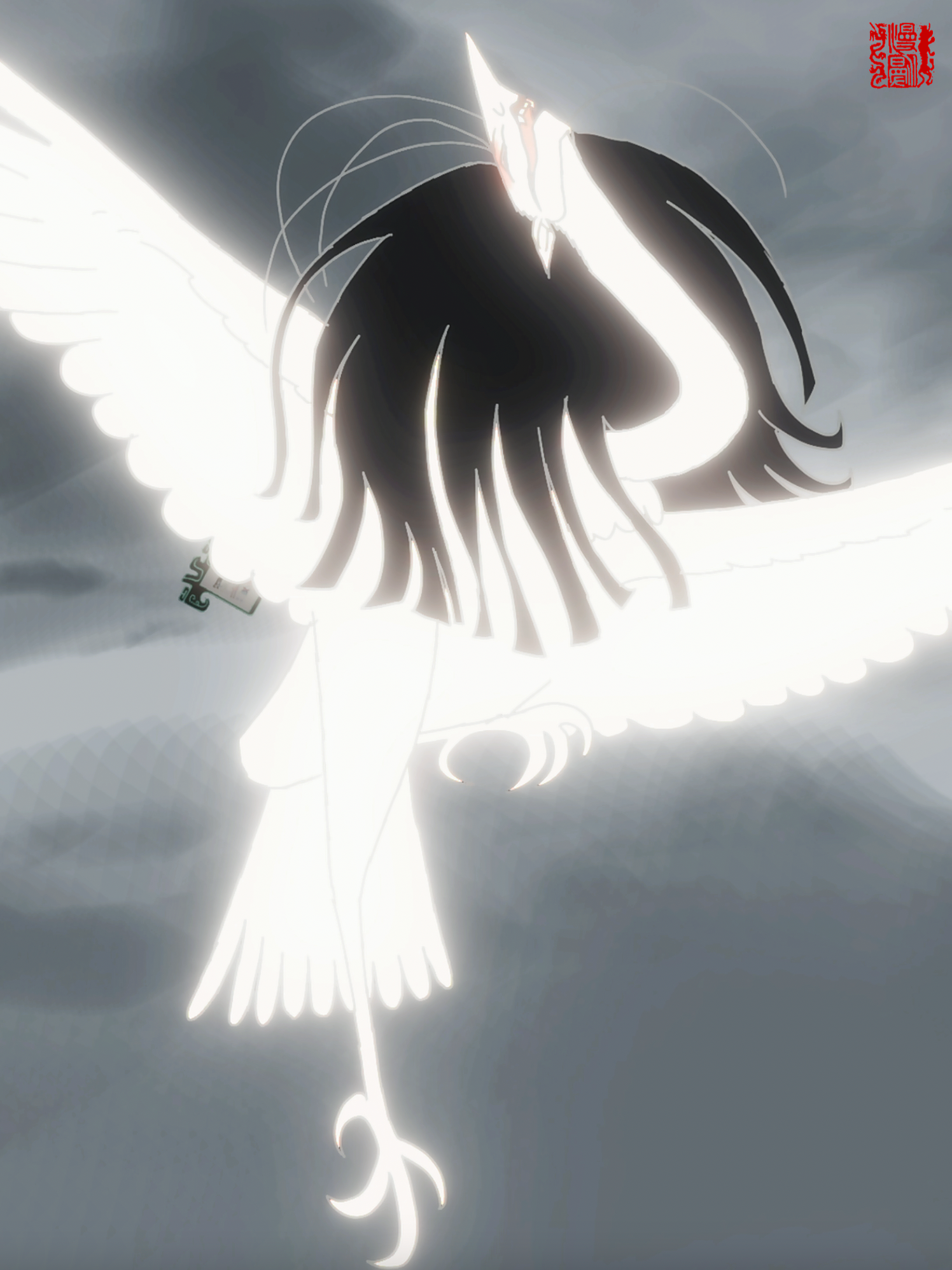
面具

Mask
导演 / 编剧 / 分镜:许宸扬
原画:廖心悦 雷谨如 仇昕 蔡雨帆
美术 / 绘景:许宸扬 杨梓瑞
3D / 后期:余亚婷 杨梓瑞
执行制片:曾胜蓝 Director / Screenplay / Storyboard: Xu Chenyang
Key Animation: Liao Xinyue Lei Jinru Qiu Xin Cai Yufan
Art Direction / Background: Xu Chenyang Yang Zirui
3D / Post-production: Yu Yating Yang Zirui
Line Producer: Zeng Shenglan

上海GAF展映作品。成年漫漫返回过去的时间线试图改写历史。

Screened at Shanghai GAF. Adult Manman returns to the past timeline as the antagonist.

剧照 · Stills
面具剧照 面具剧照 面具剧照 面具剧照

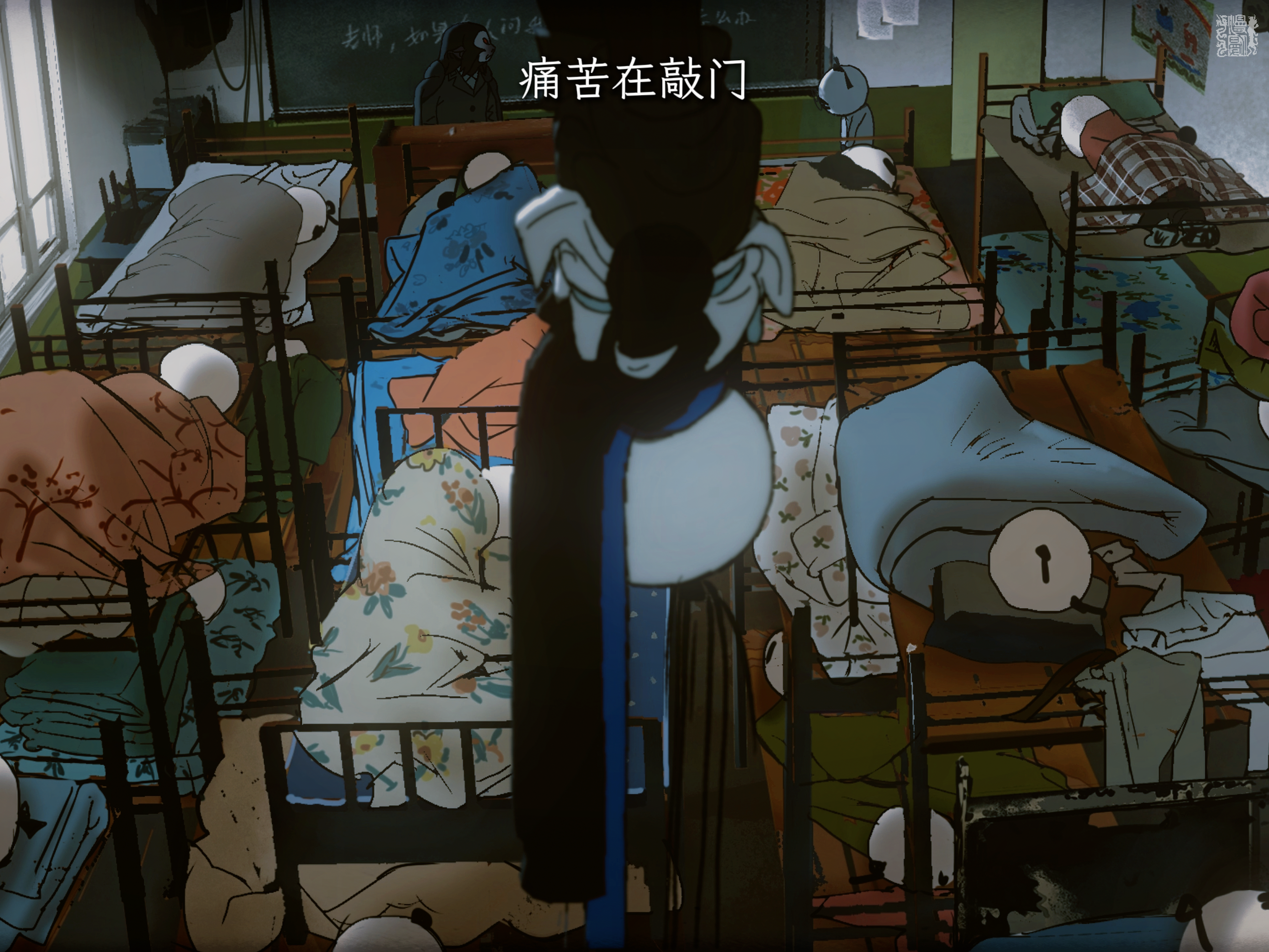
师生

Teacher and Student
导演 / 分镜:许宸扬
编剧 / 原作:舒傲谌
原画:廖心悦
美术 / 绘景:许宸扬 舒傲谌
制片 / 后期:余亚婷 Director / Storyboard: Xu Chenyang
Screenplay / Original Work: Shu Aochen
Key Animation: Liao Xinyue
Art Direction / Background: Xu Chenyang Shu Aochen
Producer / Post-production: Yu Yating

获厦门金海豚最佳短视频动画提名奖。

Nominated for Best Short Video Animation at Xiamen Golden Dolphin Awards.

剧照 · Stills
师生剧照 师生剧照 师生剧照 师生剧照
其他漫漫·空洞寓言概念短片 · More Manman: Hollow Fable

"请您从我身上卸载真、善、美吧。"

Please Uninstall Truth, Goodness & Beauty from Me
导演 Director / 剪辑 Editing:许宸扬
原画 Key Animation:大史仔仔 · 黑色公害马铃薯 · 混沌卷饼
清上 Clean-up:混沌卷饼 · 杨梅蛐 · 飘来一朵紫云
3D / 合成 3D / Compositing:小牛半邊
绘景 Background Art:咖啡耗子药
配音 Voice Acting:Joeydat3dream · 许宸扬

漫漫手中的漫道平板内置四款软件「真」「善」「美」「愿」,本条动画介绍其中三款的功能与隐喻。Bilibili 7.8万播放。

Manman's tablet houses four metaphorical apps. 78k views on Bilibili.

"必将用劳苦的血肉,击败虚华的理想。"

Flesh and Toil Shall Conquer Vain Ideals
导演 Director:许宸扬
原画 Key Animation:炮 · 青峰 · 许宸扬 · 翘 · 小牛半邊
清上 Clean-up:翘 · panda · 小牛半邊
绘景 Background Art:panda · 许宸扬
3D / 合成 3D / Compositing:小牛半邊
配音 Voice Acting:小牛半邊 · 梁家豪 · 许宸扬
出品 Production:翟家班 Animation

《漫漫:空洞寓言》伪PV,代号「结局条」。主角漫漫直面「不像」的结局,理想与现实在此交汇。Bilibili 21.9万播放,4.8万收藏。

Pseudo-PV for Manman: Hollow Fable. 219k views, 48k favorites on Bilibili.

前司期间主导运营 · Operated during prior tenure
不像-
不像-
UID 506499149
上美影确实是我白月光。
但还可以更现代。
这里是不像!
5.7万 粉丝 Fans
294.6万 播放 Views
56.9万 获赞 Likes
36 投稿 Videos

在翟家班任职期间主导运营的原创动画账号,围绕系列《漫漫:空洞寓言》进行内容创作与发布,累计播放近300万。

Animation account operated during tenure at Zhaijiaban. Built around Manman: Hollow Fable. Nearly 3M total views.

前往空间 / Visit Space →

02 / 前期概念设计

Pre-production Concepts
还在水下的企划。

WAGA 之前的未制作企划与研究,在此用以呈现 WAGA 的重量、调性。

Concepts still underwater. Pre-WAGA, unproduced concepts and studies shown here for WAGA’s weight and tone.

青史留名
Unreleased

我们一定要青史留名

Etched in the Stone
发起者/导演/编剧:许宸扬

通过Bilibili胶囊计划第五季初审。民国艺专的艺术与观念冲突。

Passed preliminary selection of Bilibili Capsule Program Season 5.

马良所画之人
Unreleased

马良所画之人

A Woman Drawn by Ma Liang
发起者/导演/编剧:许宸扬

探讨生命意志与艺术再现的边界。

Exploring the boundary between life's will and artistic reproduction.

报忧社
Unreleased

报忧社

Which News
发起者/导演/编剧:许宸扬

围绕遗憾、勇气与理解展开的现实主义漫画 / 图文笔记 IP 企划。

A realist manga / image-note IP concept built around regret, courage, and understanding.

说明 / 《我们一定要名垂青史》:分镜与剧本权利由 WAGA 持有。《马良所画之人》仅作参考展示,不主张版权。《报忧社》:所有版权均由 WAGA 持有。
NOTE / We Must Go Down in History: storyboard and screenplay rights held by WAGA. A Person Drawn by Maliang: reference only; no copyright claim. Which News: all rights held by WAGA.

03 / 纯艺作品

Fine Artwork
  • node execute.js --project=AnimeTrack [Click to Execute]

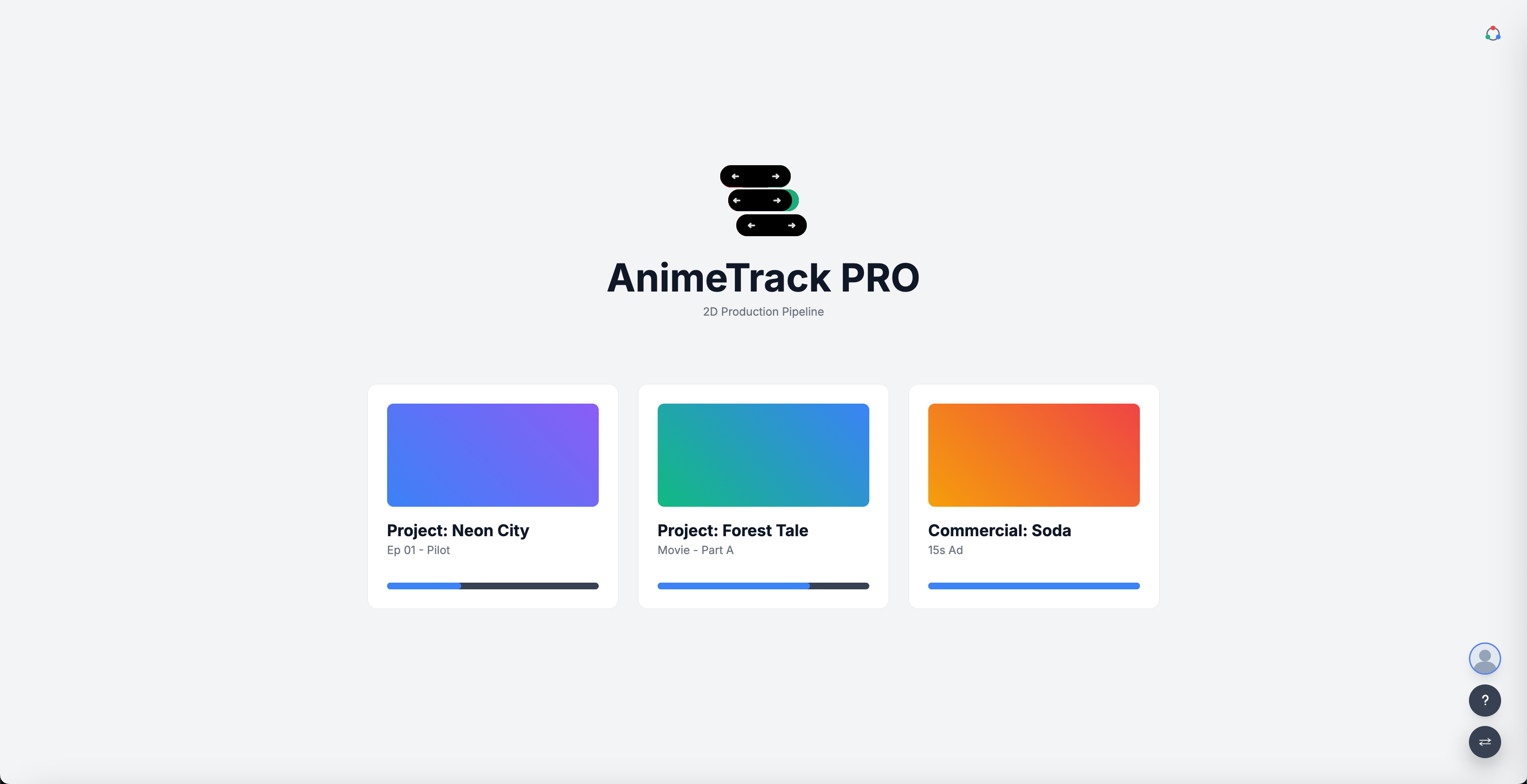
    // AnimeTrack · Intro Page Screenshots

    AnimeTrack 截图 01
    AnimeTrack 截图 02
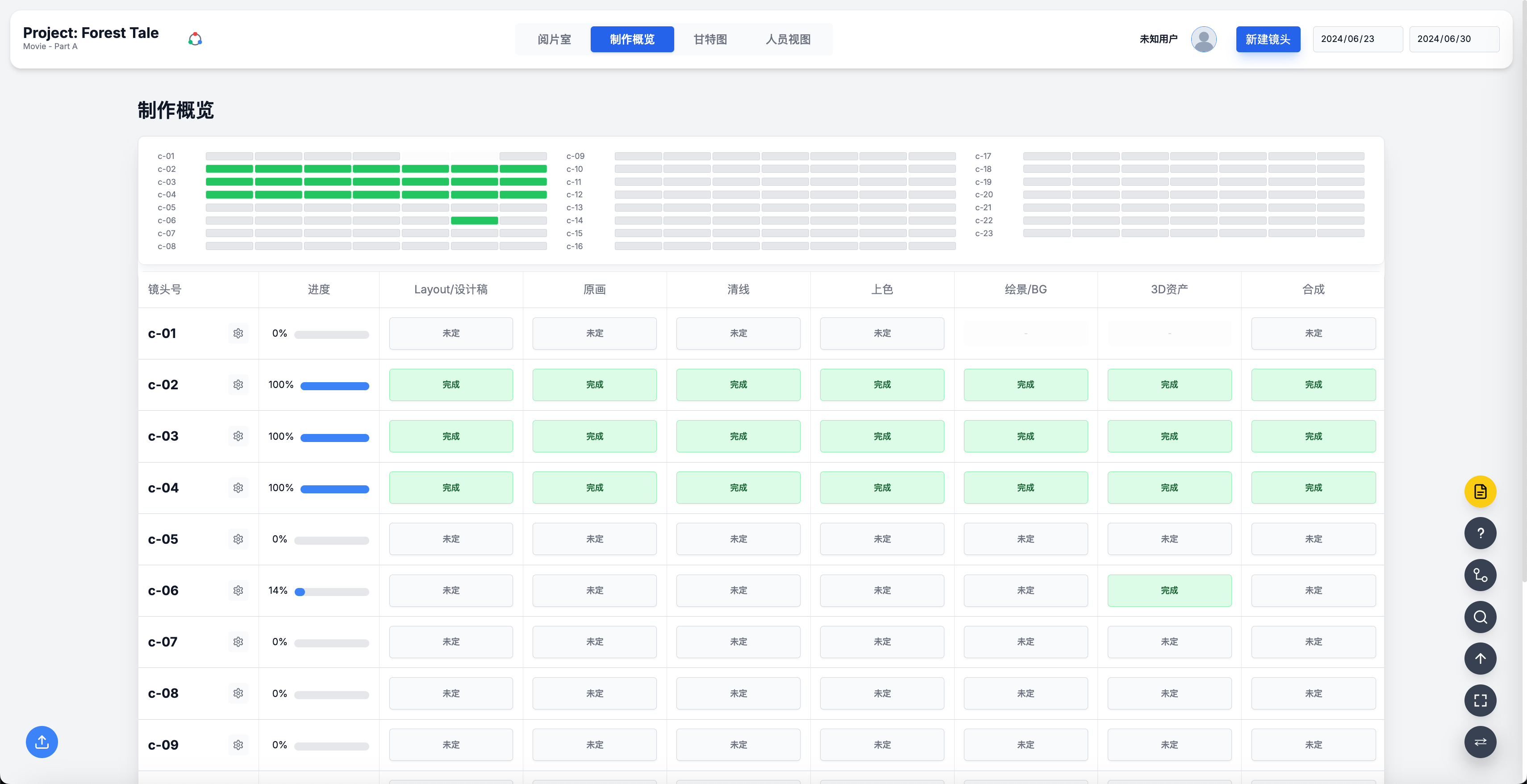
    // Production Overview · Screening Room · Gantt View

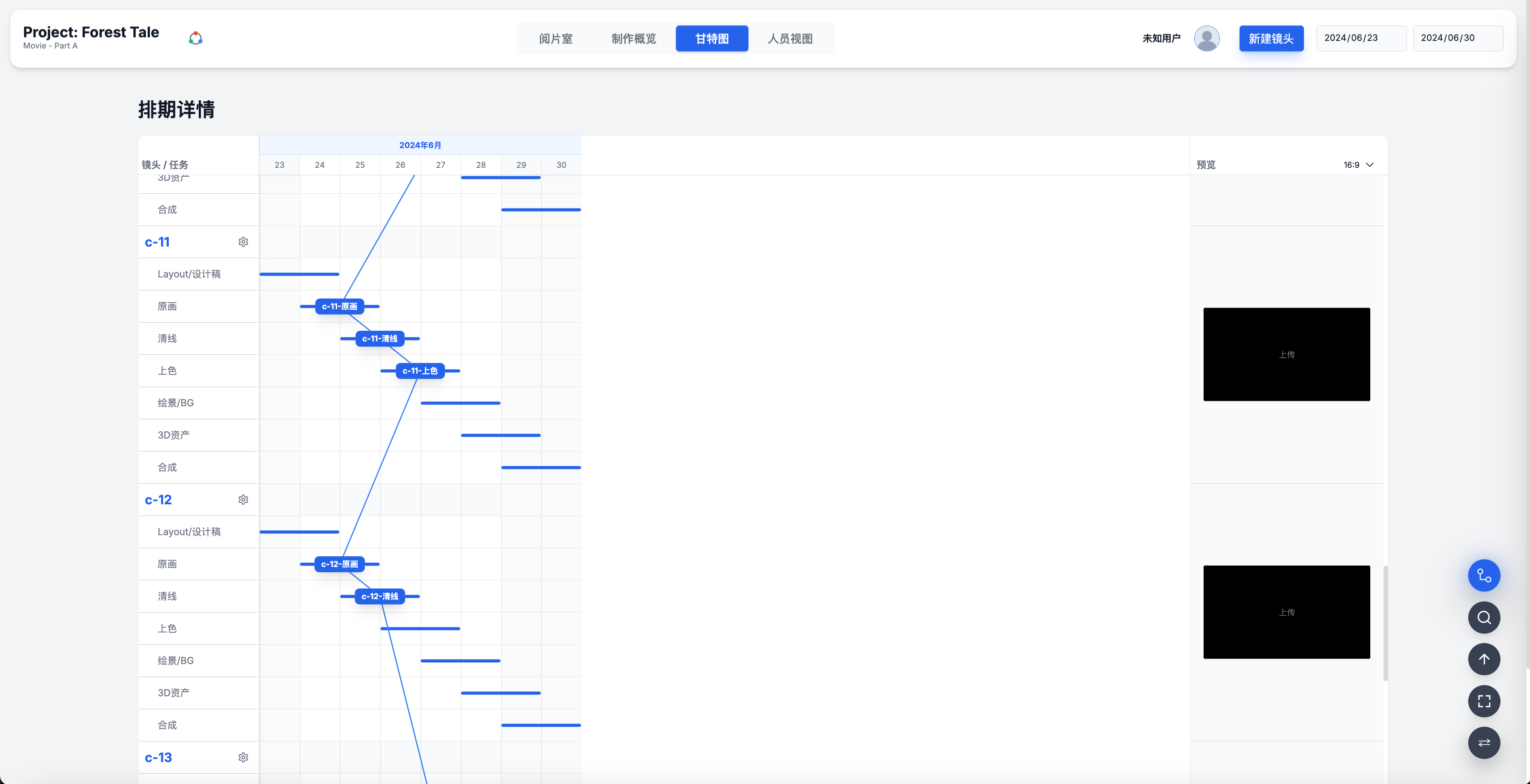
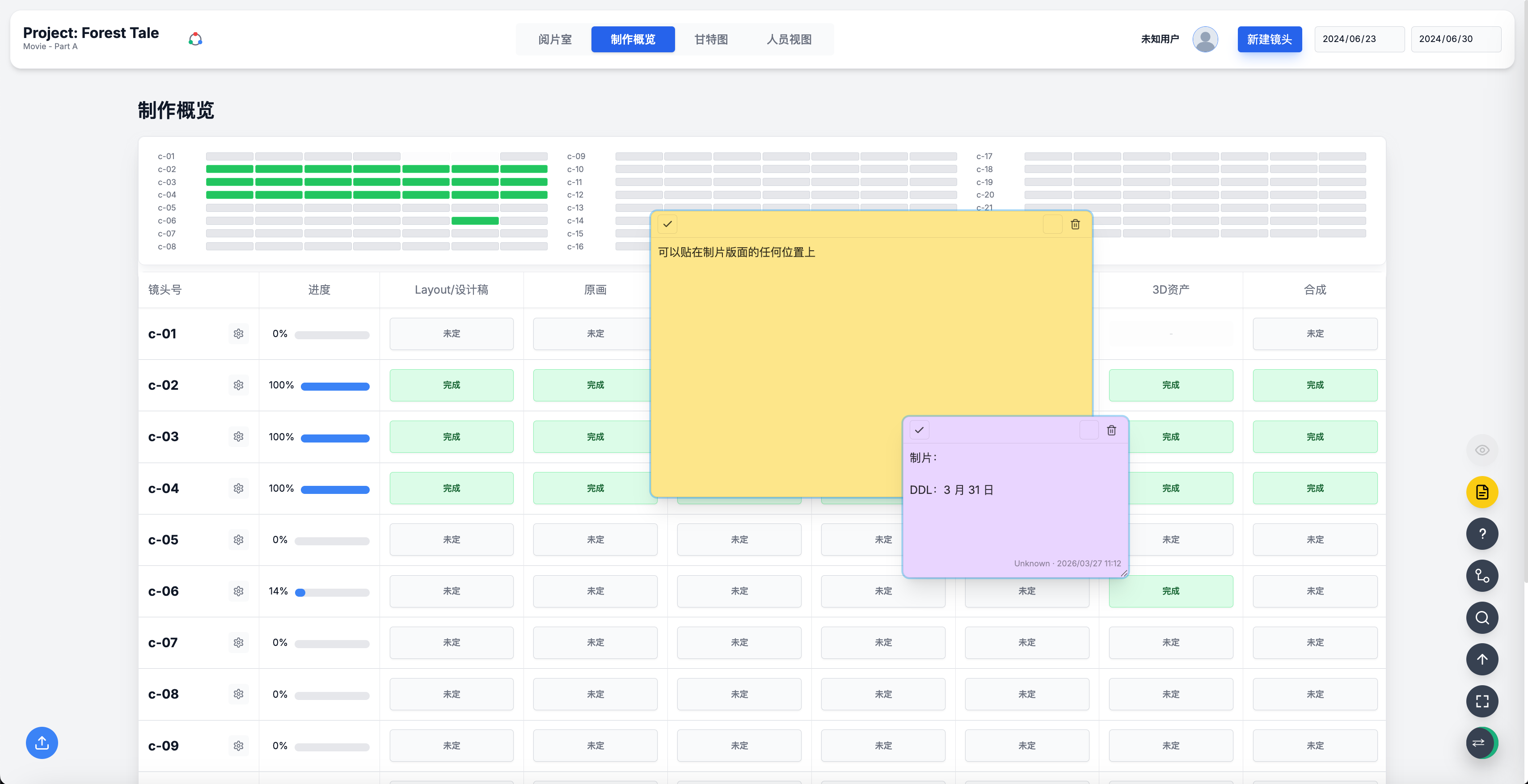
    AnimeTrack 以三个核心视图构建完整的制作透视体系。制作概览实时追踪每个镜头在 Layout、原画、清线、上色、BG、3D 及合成各环节的推进状态,并展示人员分配情况,全局 Overview 面板可在同一屏内掌握整组动态。阅片室通过统一时间轴将全员上传素材串联,Layout 粗剪与清线定稿均可即时查看,实现真正动态的进度感知。甘特图在标准功能基础上加入右侧视频预览窗口,任务对应的镜头素材可直接在排期界面内预览,无需跳转确认。

    AnimeTrack delivers full production visibility through three core views: a Production Overview tracking per-shot status across all stages (Layout → Key Animation → Clean-up → Coloring → BG/3D → Compositing) with personnel allocation; a Screening Room that stitches all team uploads along a shared timeline for real-time progress monitoring; and a Gantt Chart extended with an integrated video preview panel, enabling shot review directly within the scheduling interface.

    AnimeTrack 演示截图 03
    AnimeTrack 演示截图 04
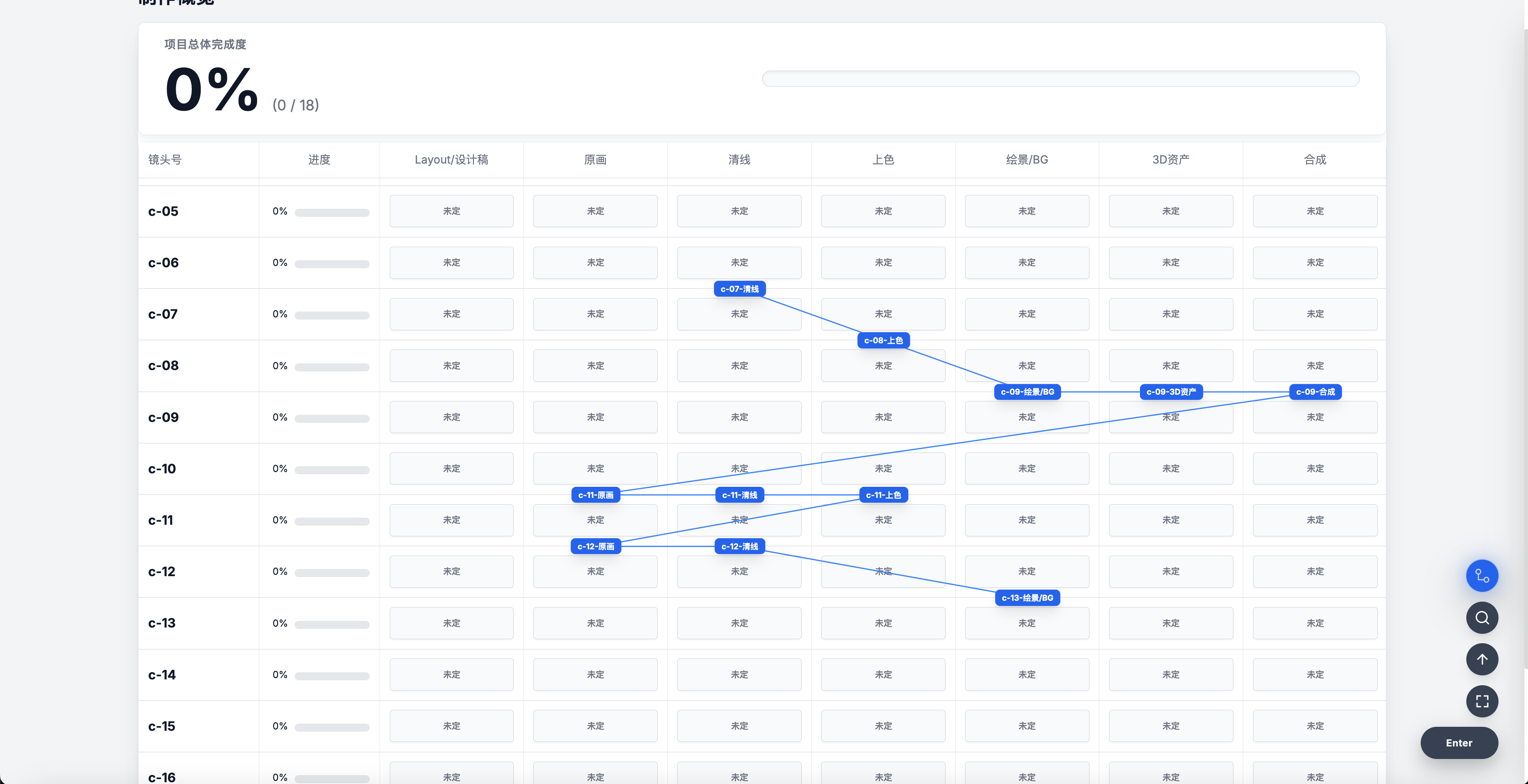
    // Linear Dependency Scheduling · In-context Sticky Notes

    甘特图的差异化在于跨任务组线性联动排期。传统工具中各任务彼此独立,调整某节点时其他任务不会自动跟进。AnimeTrack 引入"线性连接"机制,将具有前置依赖的任务绑定成链——任意节点的变动自动推移整条链路,多人协作中的排期联动从逻辑层面真正落地。

    便利贴解决了通知与任务界面割裂的痛点。飞书等平台的公告、群置顶本质上属于消息流,与制作监管页面彼此割裂。AnimeTrack 允许便利贴直接悬浮于制作总览界面,全员可见,且可精确定位至具体单元格,而非仅能对整条记录发表评论。

    The Gantt Chart's key differentiator is cross-group linear dependency scheduling. AnimeTrack's "linear link" mechanism binds sequentially dependent tasks into a chain — any change cascades automatically, making multi-person schedule alignment genuinely dynamic rather than a manual operation. The Sticky Note system closes the gap between notifications and the production interface: notes are embedded directly on the dashboard, visible to all, and anchorable to specific cells — not just record-level comments.

    AnimeTrack 截图 07
    AnimeTrack 截图 08
    // Sticky Notes Demo · Achievement System

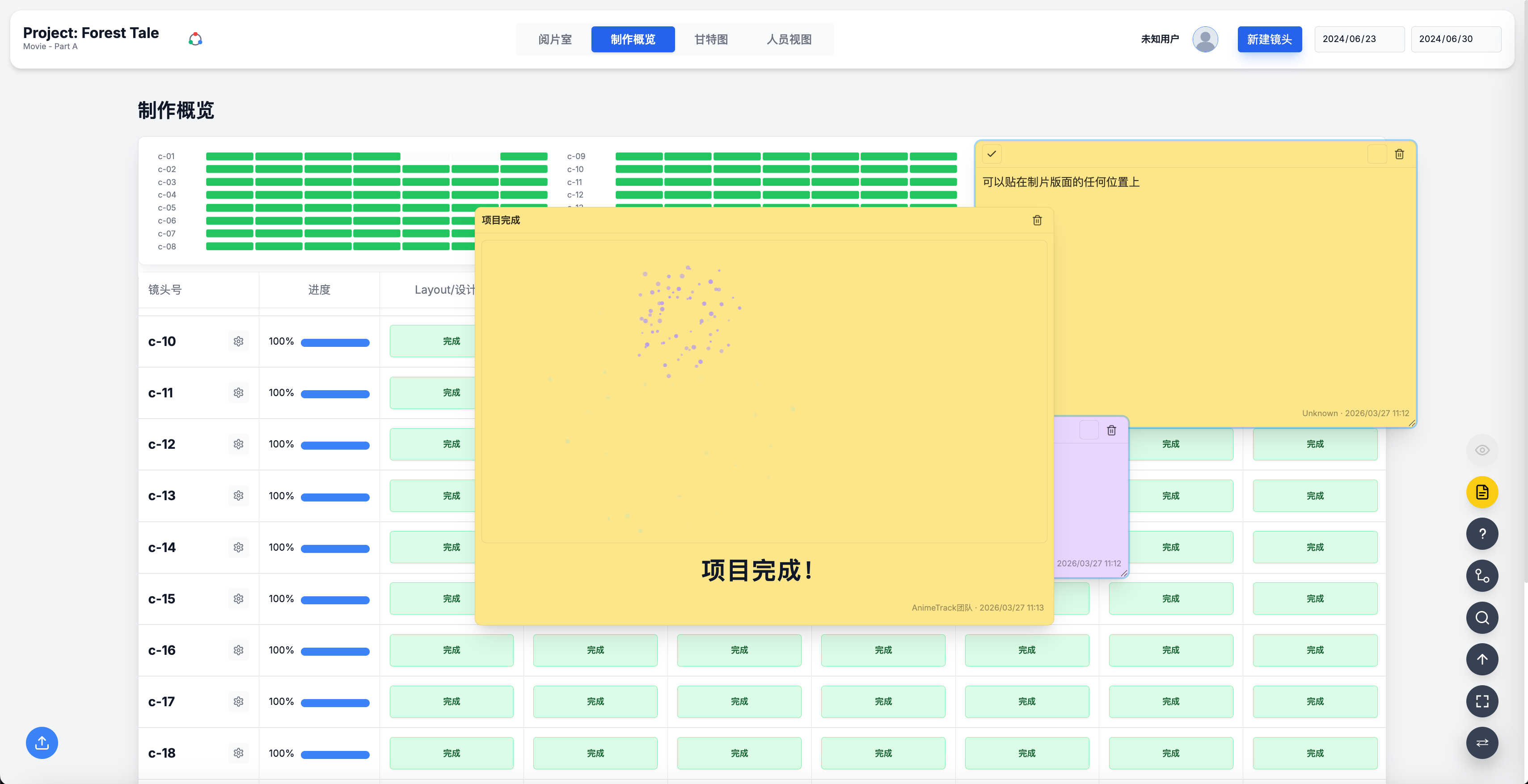
    本组演示便利贴的完整交互流程,以及由此衍生的成就系统。效率软件的趋势之一是游戏化——在功能之外置入惊喜,让工具本身产生情绪价值。AnimeTrack 的成就系统参照 Steam 成就体系设计:统计用户的操作行为(如创建便利贴、达成进度里程碑),在特定条件触发时颁发分级勋章,让制作过程中每一个"完成"动作都有机会成为值得被标记的时刻。

    This section demonstrates the full sticky note interaction flow and AnimeTrack's Achievement System. Modeled on Steam's achievement framework, the system tracks user actions — note creation, milestone completion — and awards tiered badges when conditions are met, turning routine production checkpoints into moments worth celebrating. The underlying thesis: productivity software's next frontier is gamification, embedding moments of delight beyond pure function.

  • node execute.js --project=CapStoryBoard [Click to Execute]

    // CAP StoryBoard · 视频一

    // CAP StoryBoard · 视频二

    CAP StoryBoard 截图 01
    CAP StoryBoard 截图 02

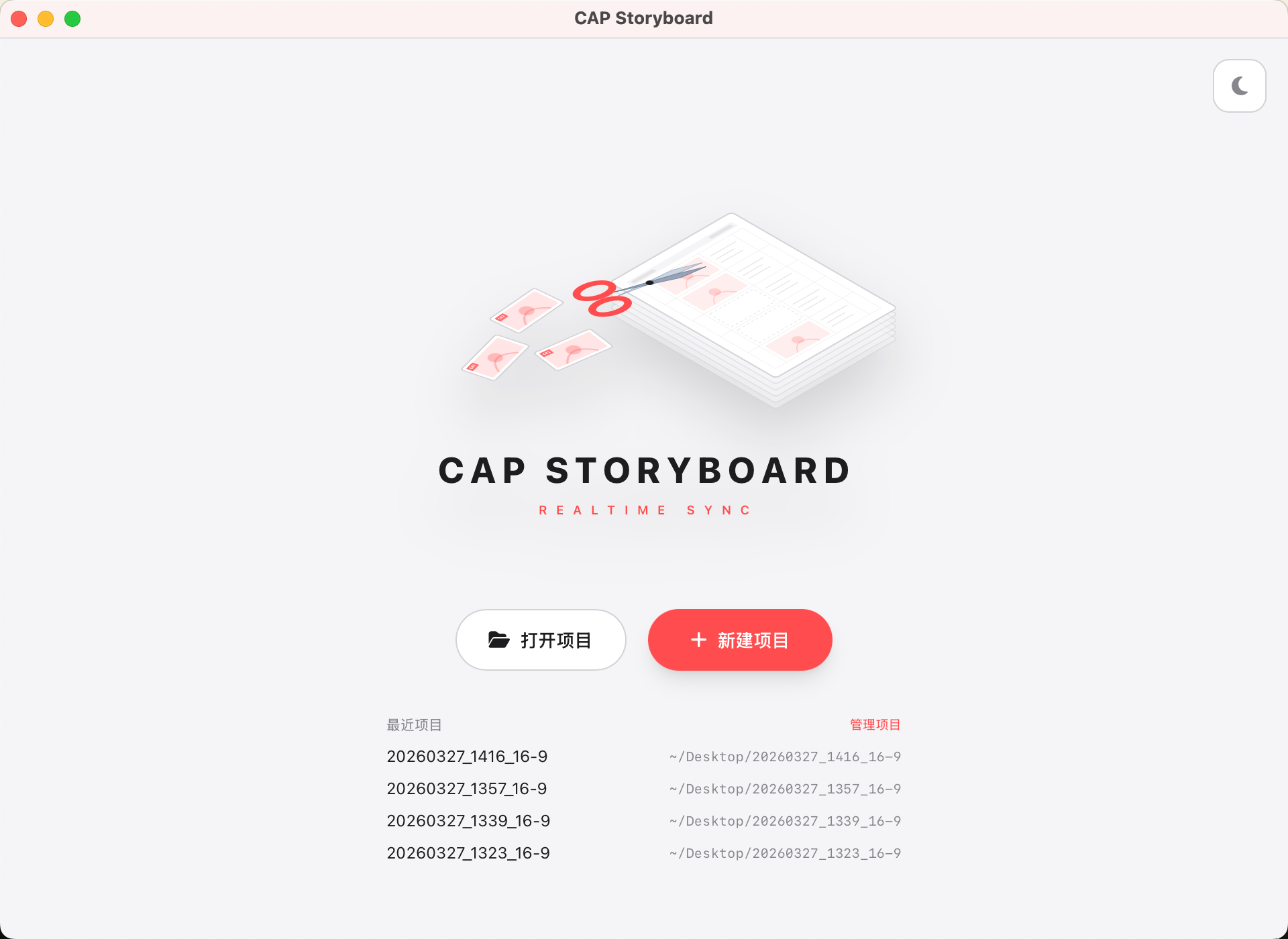
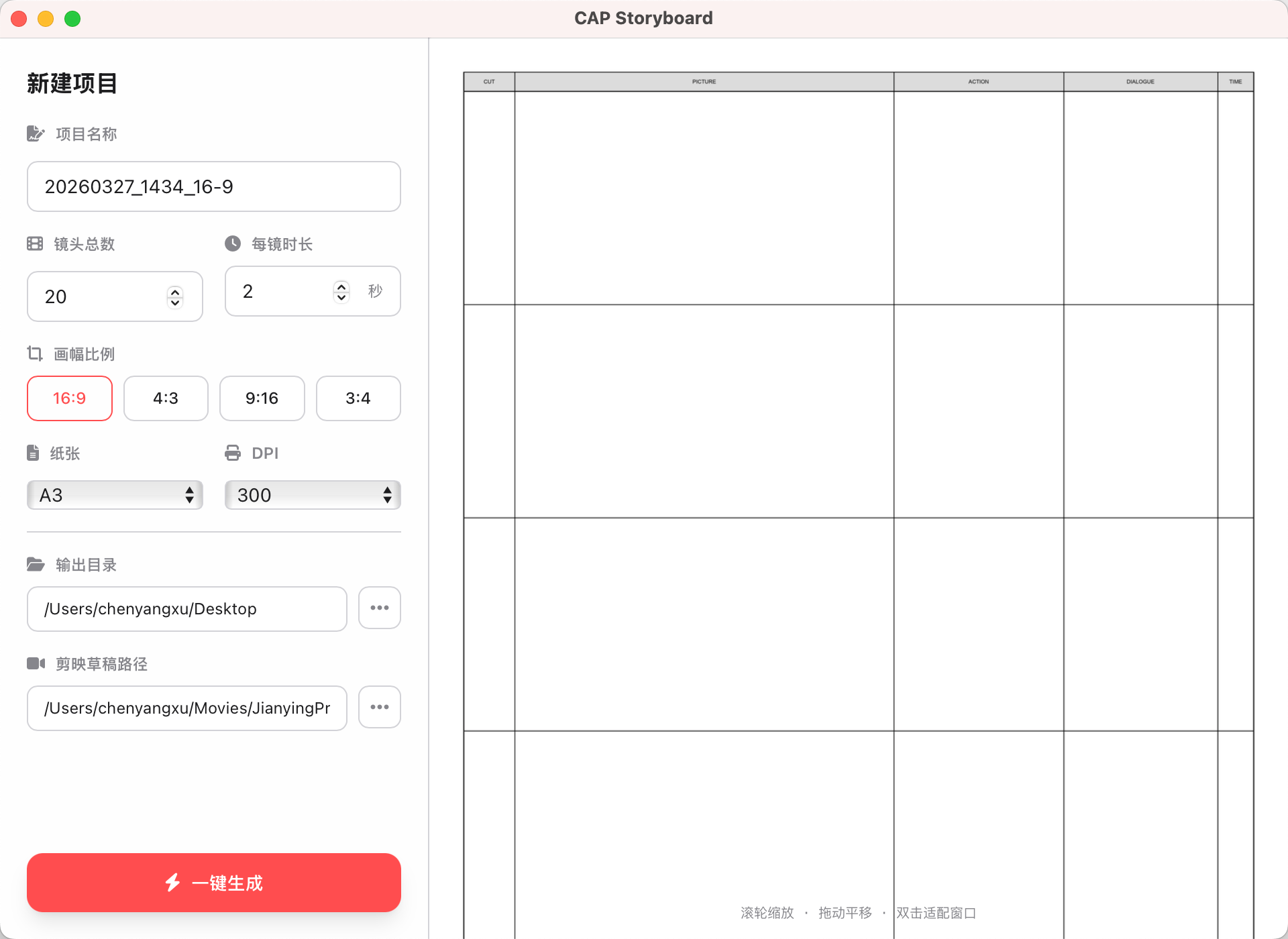
    CAP StoryBoard — CSP × 剪映 动态分镜系统

    在 CSP(Clip Studio Paint)里直接绘制分镜,同步推送至剪映时间线——让静态故事板环节与出版 Layout 环节合二为一。借助剪映的录音、文本、素材库,创作者在画分镜的同时即可感受完整的视听节奏,大幅压缩独立动画的创作周期。

    Draw storyboards in CSP, sync live to CapCut/剪映 timeline. Static storyboard meets dynamic editing — letting animators hear dialogue, music, and SFX while drawing, closing the gap between pre-production and layout.

  • node execute.js --project=StoryCut [Click to Execute]

    // StoryCut · Intro

    StoryCut — 故事板切片导入工具

    在短视频竖屏动画的制作中,分镜本的导入一直是个痛点。StoryCut 通过半自动化的方式,一键将 PDF 拆解并按镜头号重命名,直接对接 Premiere 或 AE,让创作者告别手动切图的机械劳动。

    StoryCut automates the extraction of storyboard PDFs into sequentially named PNG files, ready for direct import into Premiere or AE. From 1 PDF to n frames in seconds.

    Live story.work
  • node server.js --wake="hello claude" AI agent Open Source [Click to Execute]

    // 实战 · 一句话点一杯咖啡,从搜店到付款全程自主(内心的坐标在跑)

    // 它替你去点那些「点不了」的 App

    有时候你手上正忙着,或者干脆懒得掏手机,只想开口说一句"帮我点杯拿铁",然后这事就自己办好了。上面这条是完整的一遍:我说完那句话,就没再碰过手机。它打开美团、搜到皮爷、进店、挑规格(大杯 / 热 / 深烘 / 全脂)、翻出红包、把默认的月付切成支付宝、走到付款那一步。两分多钟,¥27。

    听起来像脚本干得了的活,其实干不了。美团、微信这类 App 恰恰是自动化最难啃的一类:它们不暴露无障碍树,你拿不到"按钮在哪"这种结构化信息;对截图有保护,截回来可能是一片空白;还跑着风控,一旦闻到自动化的味道就把你登出。市面上的 UI 自动化方案在它们面前基本是失效的。

    所以换了个思路:不去问 App"你的按钮在哪",而是从外部把它的界面图自己画一遍,画一次,之后照着自己的图点。睁眼学一次——把窗口固定到同一个位置、截图、记下这一屏所有能点的东西在哪,包括这次没点的那些;之后就凭记忆走,只在真的算不出来的地方才睁眼看一眼。

    最初的形态是"录一段操作再回放",但回放很脆:任何一步跳出预期,整段当场脱轨。后来它长成了更接近人脑里那张图的东西——一张状态图。节点是一屏(怎么认出它、按钮在哪、哪些坐标稳、哪些会随内容浮动),边是一次跳转。于是它不再是放录像,而是在走图:先认出自己在哪一屏,规划怎么过去,走错了取返回边回锚点,看到新东西就补进图里。这个能力我最初管它叫"盲跑",后来改了名——它不是闭着眼乱点,是成竹在胸

    The clip above is one full run: I said "get me a latte" and never touched the phone. It opened Meituan, found the Peet's branch, picked the spec (large / hot / dark roast / whole milk), applied a coupon, switched the default installment payment to Alipay, and walked to checkout. Two minutes, ¥27. This sounds scriptable but isn't. Apps like Meituan and WeChat are the hardest class to automate: no accessibility tree (so you can't ask where a button is), screenshot protection (captures come back blank), and active risk control that logs you out at the first whiff of automation. Off-the-shelf UI automation simply fails here. So the approach inverts: instead of asking the app where its buttons are, redraw its interface map from the outside — learn it once with eyes open (pin the window to a fixed position, screenshot, record where every tappable thing is, including the ones you didn't tap this time), then move from memory, looking only where the layout genuinely varies. It began as record-and-replay, which is brittle — one surprise and the whole replay derails. It grew into something closer to how you hold an app in your head: a state graph, where a node is a screen and an edge is a transition. The agent no longer replays; it walks the graph — recognize where it is, route to the goal, take a back-edge when it wanders off, and add anything new it sees. I first called this "blind running", then renamed it: it isn't clicking blind, the map is already in mind.

    // 左:实拍,它把接下来三步的落点一次报完  右:这条链在它心里的样子——每个坐标都挂着一个动作

    内心链路实拍 · 一口气报出三步坐标再执行
    inner chain · one run
    学过这条路之后,它把接下来每一步的落点一次报完,然后照着点
    (173,658) 唤出 Spotlight,打开美团
    (140,141) 顶部搜索栏
    (130,120) 输入 皮爷咖啡 → 搜索
    (173,~175)DRIFT 第一家店卡
    Y 随促销 banner 浮动 → 从筛选行锚点重算
    (295,425) 规格弹窗:大杯 · 热 · 深烘
    (173,682) 确认并提交订单
    (300,580) 收银台默认月付 → 切支付宝
    (247,1017) 付款(这一步先截图,再问你一句)
    ✓ exit 0  ·  全程 0 次截图
    这一整段是一条命令跑完的 —— 中间没有「停下来看一眼」的位置。
    界面漂了,改脚本里那一个数;不用重学。
    // 挡在中间的三关,和三个决定

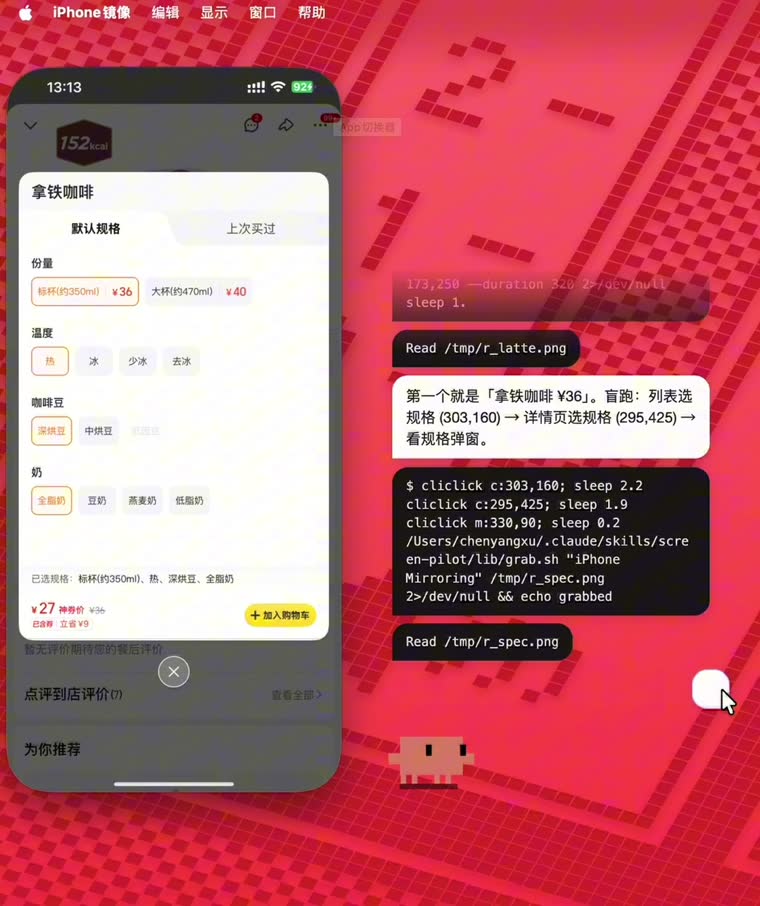
    上图是它跑到一半的样子:右边那条白气泡里,它一口气把接下来三步要点哪儿说完了(列表选规格 → 详情页选规格 → 看规格弹窗,坐标都报了出来),然后就照着点,中间一张图没截。要让这件事成立,得先过三关。

    第一关是风控,而它没法被"骗"过去。App 的反自动化是跑在它自己那台设备上的:在这台手机上找合成触摸、找附着的自动化框架、找越狱和调试器。你在手机上做手脚,它一定看得见。绕开的办法不是骗它,是换一台设备来做这件事——走 iPhone 镜像之后,agent 操作的其实是一个普通的 macOS 窗口,移光标、点击,这是苹果完全祝福的 Mac 自动化;镜像再通过苹果自己的接力通道把这一下转到手机上,到达时是一次来自设备真实输入栈的触摸,和你拇指按下去没有区别。手机那边什么异常都没发生。截图同理:iOS 的截屏保护管不到另一台机器的屏幕缓冲区。所以这不是谁家的漏洞,是两个各自合法的苹果功能之间的接缝里长出来的空隙。微信和美团都实测端到端跑通过。

    第二关是模型自己。你跟它说"这段路你熟,别截图了直接跑",它嘴上答应,下一步还是想截一张看看——这个反射用提示词压不住。所以干脆把这个决定从它手里拿走:一条链路只要学过或被演示过,就默认标成 trusted。信任是先给的,出错才收回,而不是攒够次数才给。trusted 的链路直接跑脚本、零截图、只看退出码;哪次失败了自动降级回"睁眼"模式,修好跑通一次再自动升回去。

    第三关是:光有一张坐标表还不够。坐标表把"怎么把这些点串起来"留给了模型,而模型一开始串,就又退回"点一下、截一张、再点一下"。所以一段学稳的路,最终产物是一条脚本——agent 跑一条命令走完整段,物理上就没有"中间"可截。哪天界面漂了,改脚本里那一个数,不用重学。坐标本身也能搬家:窗口每次都归一化到同一个位置、回读实际几何,再把学习时的坐标换算成窗口内的比例——换台 Mac、换个机型、换个人用,只算不重学。至于支付密码,永远不进脚本,从本机钥匙串现读现用、不落任何文件。

    The still above catches it mid-run: in that white bubble it announces the next three taps in one breath — spec on the list, spec on the detail page, then read the spec modal — coordinates and all, then just does them, without a single screenshot in between. Three obstacles stand in the way. First, risk control — and it can't be fooled. An app's anti-automation runs on its own device, hunting for synthetic touches, attached automation frameworks, jailbreaks, debuggers. Anything you do on that phone, it sees. The way around isn't deception but doing the work on a different machine: through iPhone Mirroring the agent drives an ordinary macOS window — moving a cursor, clicking, fully sanctioned Mac automation — and Apple's own Continuity channel relays that tap to the phone, where it arrives as a genuine touch from the device's real input stack, indistinguishable from your thumb. Nothing unusual happened on the phone at all. Screenshots likewise: iOS capture protection can't reach another machine's screen buffer. So this is nobody's vulnerability — it's a gap that grows in the seam between two individually legitimate Apple features. Proven end-to-end on both WeChat and Meituan. Second, the model itself. Tell it "you know this route, skip the screenshots" and it agrees — then reaches for one anyway. That reflex cannot be suppressed by prompting. So the decision is taken away from it: any flow that has been learned or demonstrated is marked trusted by default. Trust is granted up front and revoked on failure, never earned by a counter. Trusted flows run the script with zero screenshots, judged only by exit code; a failure downgrades to eyes-open, and one clean run restores it. Third, a coordinate table isn't enough. A table leaves "how to string these taps together" to the model, and the moment it starts stringing, it falls back into tap-look-tap. So a stable route compiles into a script — one command runs the whole stretch, and there is physically no "between" left to capture. When the UI drifts, you change one number instead of relearning. The coordinates travel too: the window is normalized to the same position each time, its real geometry read back, and learned points converted into window-relative fractions — new Mac, new device model, new user, recompute rather than relearn. Payment passwords never enter a script; they're read live from the Keychain and never written to disk.

    Repo github.com/XiaoChu-1208/inner-coordinates

    // 对话栏 · 内容从底往上堆,顶部溢出的老对话被蒙版化掉(窗口尺寸全程不变)

    // 它没有窗口,所以一切都得围着「不许闪」来设计

    想象它就贴在你屏幕上:你在写代码,它在旁边说话,没有窗口边框、也不占地方。真做起来,第一个撞上的麻烦是——每多说一句,面板就得长高一次,而 macOS 上透明置顶窗口每改一次尺寸就闪一下白。一轮对话闪二三十次,这东西就没法看了。

    所以这块的布局不是"怎么排好看"定下来的,是从一条铁律倒推出来的:窗口尺寸永远不变。高度固定成工作区的 45%,内容从底往上流,顶上溢出的老对话交给一层渐变蒙版慢慢化掉——不是硬切一刀(上面这段录屏就是它化掉的过程)。气泡消失时只淡透明度、不塌缩高度,否则下面的气泡会跟着往上跳一下。

    类似的取舍还有不少。贴底没有用 justify-content: flex-end,因为它和滚动同用会让你翻不回上面的历史,改用了一个伪元素占位。想要的效果本身都不难,难的是要在"不许改尺寸"这个前提下把它做出来

    唯一破例的是粘贴图片预览,而且规定它向下长:输入框在最底部,窗口要是向上长,输入框位置虽然没动、可整个面板会跳一下;向下长则输入框的顶边纹丝不动,图片从它下面生出来。左右也是镜像的——它在屏幕右半边时,它的气泡靠右、你的靠左,而且贴着它那个底角是直角,像话是从它嘴里长出来的。

    It isn't a window — it just floats on your screen while you work. The catch: every extra line means the panel has to grow, and on macOS a transparent always-on-top window flashes white on every resize. Twenty or thirty flashes per conversation and the thing is unusable. So this layout wasn't decided by what looks good; it was reverse-engineered from one rule: the window size never changes. Fixed at 45% of the work area, content flows bottom-up, and old messages pushed past the top are dissolved by a gradient mask rather than clipped (the clip above is that dissolve happening). Bubbles fade opacity only and never collapse height — otherwise their neighbours jump. Plenty of small trade-offs follow: bottom alignment avoids justify-content: flex-end, which combined with scrolling would make history unreachable, using a pseudo-element spacer instead. None of these effects are hard on their own; the hard part is achieving them under "never resize". The one exception is the paste preview, and it grows downward: the input sits at the bottom, so growing upward would keep the field in place but make the whole panel jump; growing down keeps the input's top edge perfectly still while images emerge beneath it. Sides mirror the pet's screen half, and the corner facing it is square — as if speech grew out of its mouth.

    // 左:一次完整会话(唤醒 → 应答 → 干活 → 打哈欠 → 睡下) 右:右键菜单

    // 一堆气泡堆在一起,你怎么知道哪句是怎么进来的

    如果你连着聊了十几轮:有时候打字、有时候直接说、中间还粘过两张图——回头一看,同一块面板上全堆在一起了。这时候怎么一眼分清哪句是怎么进来的?我的做法是让"怎么出现"本身带上这个信息

    它的回答逐字打字机,24ms 一个字——因为它确实是一个字一个字生成出来的,这个节奏是真的。你打字发的反而没有任何动画,直接顶上去:你刚敲完回车,没必要再演一遍给你看。你说完的话从贴着它的那个直角展开,像从它嘴边吹出来。粘的图从底边长出来。缩放全走 GPU,不逐帧改布局——又回到那条铁律:不闪。

    打字机还有一层:逐字阶段显示的是剥掉 markdown 符号的纯文本,打完再整体换成富渲染。不这么做的话,**| 会在逐字过程里一闪而过。

    输入框本身不是独立控件,而是面板最底下的那条气泡——这样你发出去以后,消息就从你刚才打字的那个位置冒出来,不会错位。它在语音态和打字态之间会形变,方向是刻意不对称的:进打字模式时波形和暂停键先淡掉、框再缩短;退出时反过来,先把空间让出来、内容再淡进去。顺序反了,你就会看见元素被挤压的那一瞬间。另外输入第一个字符打的是 / 时,一层蒙层用 1 秒把气泡从白渐变成终端黑——用蒙层而不是直接改背景色,是为了不干扰暂停键置灰的那 140ms。

    Four kinds of message share one panel: what you typed, what you said out loud, images you pasted, and its replies. Once they stack up, how do you tell them apart at a glance? The entrance itself carries that information. Its replies typewrite at 24ms per character — because they really are generated character by character, so the rhythm is honest. Text you typed gets no animation at all: you just hit Enter, there's no reason to replay it for you. Speech you finished expands from the square corner facing the pet, as if blown out of its mouth. Pasted images grow up from the bottom edge. All scaling runs on the GPU with no per-frame layout — back to the same rule: no flicker. The typewriter has a second layer: while typing it shows markdown-stripped plain text and swaps to rich rendering on completion, otherwise ** and | flash past mid-stream. The input is not a separate control but the bottom-most bubble in the stack, so a sent message emerges from exactly where you typed it. Its voice/typing morph is deliberately asymmetric: entering, the waveform and pause key fade before the field narrows; leaving, width opens first and content fades in after. Reverse the order and you catch the moment elements get squeezed. A leading / gradients the bubble from white to terminal-black over one second via an overlay layer — chosen so it won't disturb the pause key's 140ms dim.

    // ReAct 节奏 · 白气泡说人话,黑气泡记行动

    // 那三十秒的黑屏,其实是可以设计的

    如果你用过那种"发完指令就没声了"的 agent,大概熟悉这个感觉:你让它去修个 bug,它"嗯"了一声,然后没动静了。三十秒后蹦出来一段总结说改好了。这三十秒是黑的——你不知道它在干什么,甚至不确定它是不是卡住了。

    所以把它的流式输出按块拆成气泡:每说一句话是一个白气泡,进 DOM 的同时进朗读队列;每调一次工具是一个黑气泡(终端风),只显示不出声,文案是一套手写映射——$ npm test / Read /path / Search: … / Subagent: …。于是你看到的是一串命令行式的行动记录,中间穿插着口语化的解说,等待期变成了可读的节奏

    这件事得两头对齐才成立。系统提示里明写了这个 UI 契约:告诉模型"你说的每句话都会成为一个独立气泡,你的每次工具调用主机会自动显示成一条命令气泡,所以不要再用散文描述你在调什么工具";也告诉它"面板很窄,别用三列以上的表格——细气泡里读不了,念出来也没有意义"。提示词是为这个界面写的,界面也是为这种输出结构做的。

    还有一层:它的反应不按"忙碌中"这种笼统状态走,而是按这次调用在做什么性质的事分派——Bash 里跑 open/osascript 归"施法",跑 ls/grep/Read 归"看书",Write 归"搭建",Task 派子 agent 归"搬运",TodoWrite 归"打扫"。边界是有意划的:WebSearch/WebFetch 一度归在施法,后来改判为看书——施法留给会对世界产生副作用的操作,只读的事一律归看书。这层映射是我定的;动作本身的美术资源来自上游项目。

    You ask it to fix a bug. It says "mm-hm" and goes quiet. Thirty seconds later a summary appears saying it's done. Those thirty seconds are dark — you don't know what it's doing, or whether it's stuck. So its streaming output is split per block into bubbles: every sentence becomes a white bubble, entering the DOM and the speech queue together; every tool call becomes a black terminal-style bubble, shown but never spoken, labelled by a hand-written map ($ npm test / Read /path / Search: …). What you see is a command-line trail of actions interleaved with plain-spoken narration — the wait becomes something you can read. This only works if both ends agree. The system prompt states the UI contract outright: every sentence becomes its own bubble, every tool call is rendered automatically, so don't narrate your tool calls in prose; and the panel is narrow, so avoid 3+ column tables that are unreadable in a thin bubble and meaningless read aloud. The prompt is written for this interface, and the interface is built for that output shape. One more layer: reactions are dispatched not by a generic "busy" state but by what kind of thing this call is doingopen/osascript is casting, ls/grep/Read is reading, Write is building, Task is carrying, TodoWrite is sweeping. The boundary is deliberate: WebSearch/WebFetch was once casting and got reclassified as reading — casting is reserved for operations with side effects on the world; read-only work is reading. The mapping is mine; the animation assets come from the upstream project.

    // 桌面浮层的失败,都发生在你看不见的地方

    有时候你会遇到这种事:点了一下但好像没反应、打完字回车却石沉大海、开口想让它停下它却还在念。浮层的问题大多是这一类——出错的时候,你不会收到任何提示。下面几条都是在处理这些。

    ① 打断要按代价分级。它正在念回复时你开口,直接掐掉就行,朗读被打断没有成本。但它正在干活(跑工具)时你开口,代价完全不同——那可能是一次真实的文件写入。所以干活时的判据门槛翻倍,而且发出去的是一个真正的 interrupt 控制请求,等同于你在 Claude Code 里按 ESC。单击它打断这件事放在了按下pointerdown)而不是松手之后:不等松手、不受 600ms 连击窗口影响、也不被 7px 拖动阈值误判丢掉。急着让它闭嘴的时候,这零点几秒是有感的。

    ② 说话时不能靠喊唤醒词打断它。两个原因:它自己的朗读会盖住你的声音;而且它念到"claude"这个词的时候会自己触发自己。所以说话期间唤醒词直接忽略,改用主麦音量判断——你一开口它就停。

    ③ 打了字就不许悄悄消失。这条是修一个真实 bug 修出来的规矩:面板状态不对时,你打的字会被丢掉,而你完全不知道。现在发送接口会回一个 accepted,渲染端只在被接受时才清空输入框,否则文字和图片都留着、气泡抖一下告诉你没发出去。引擎那边还会自愈——面板标记为"隐藏"却收到了打字,说明它其实是可见的(否则你打不了字),于是修正标记继续处理。

    ④ 用空间提前量补偿延迟。浮层默认是鼠标穿透的(不然会挡住后面的 App),移上去才切成可交互。但"检测到悬停 → 通知主进程 → 生效"有一个来回,你去点那个 30px 的暂停键时,点击经常就从这个缝里漏过去了,时灵时不灵。解法是把输入行的判定区外扩 16px,让它提前进入捕获态。

    ⑤ 过滤语音识别的幻听。安静的时候,语音识别会凭空吐出"thank you for watching""谢谢观看"这类字幕残留——因为它的训练数据里全是视频。于是维护了一张幻听词表,再叠一个判据:这段音频里真正过了音量门的字节数。关门声触发了两秒采集、里面大半是静音,这种就会被挡掉,不会凭空冒出一个假气泡。

    A click that didn't register, text you typed that never arrived, speech that failed to stop it — most overlay failures look like this: when something goes wrong, you get no signal at all. These five all address that. (1) Interruption is tiered by cost. Speaking over its speech just kills the audio — free. Speaking over its work is a different matter; that could be a real file write. So the threshold doubles during work, and what gets sent is a genuine interrupt control request — the equivalent of pressing ESC in Claude Code. Click-to-interrupt fires on pointerdown, not on release: no waiting for mouse-up, immune to the 600ms multi-click window and the 7px drag threshold. When you urgently need it to stop, those few hundred milliseconds are felt. (2) The wake word can't be used to interrupt speech — its own audio masks your voice, and it self-triggers when it reads the word "claude" aloud. So during speech the wake word is ignored in favour of raw mic level: you start talking, it stops. (3) Typed text is never silently dropped. This rule came out of a real bug: with the panel in a stale state, your text vanished and you never knew. Now the send endpoint returns accepted; the renderer clears the field only when accepted, otherwise it keeps text and images and nudges the bubble to tell you it didn't go. The engine self-heals too — a panel flagged "hidden" that receives typing must actually be visible, so it corrects the flag and proceeds. (4) Spatial lead time compensates latency. The overlay is click-through by default so it won't block apps behind it, becoming interactive only on hover. But "detect hover → notify main → take effect" is a round trip, and clicks on a 30px pause button slip through that gap. The fix: expand the input row's hit area by 16px so capture engages early. (5) Filter STT hallucinations. In silence, speech recognition emits caption residue like "thank you for watching" — its training data is full of video. So a phrase blacklist is combined with a second test: how many bytes in this clip actually passed the volume gate. A door slam that triggered two seconds of mostly-silent capture gets rejected, and no phantom bubble appears.

    // 桌宠形象、SVG 动画素材与 mini 模式来自开源项目 Clawd on Desk;对话栏、气泡系统、语音与打断链路、ReAct 编排为本人实现。
    Pet character, SVG animation assets and mini mode come from the open-source Clawd on Desk. The chat stack, bubble system, voice and barge-in pipeline, and ReAct orchestration are my own.

    Repo github.com/XiaoChu-1208/claude-baby
  • npx vite --port 5199 --project=crux-simulator 2D → 3D [Click to Execute]

    // 实机演示 · 一条完整线路,三分五十二秒,原声

    // 一镜到底,没有剪掉失手 — 因为失手之后那段才是主体工程

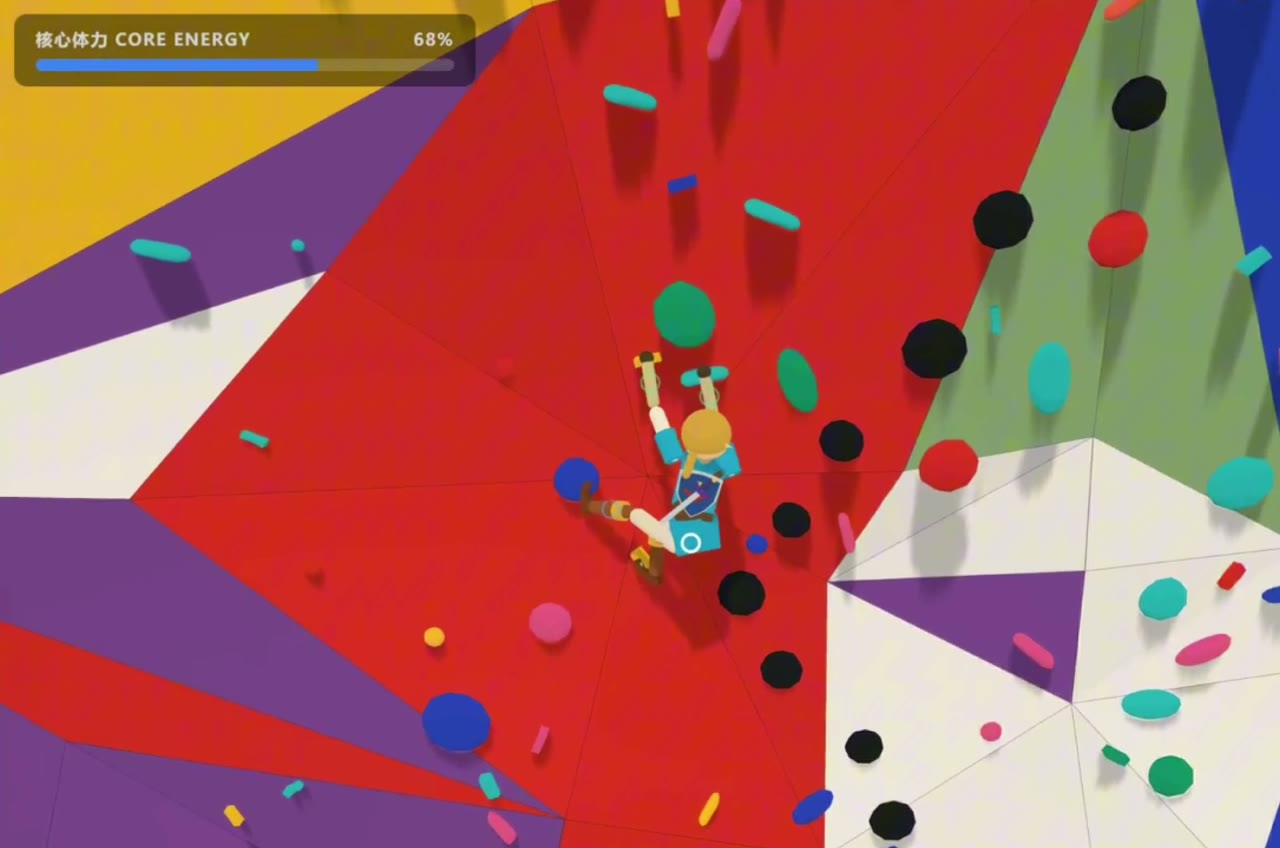
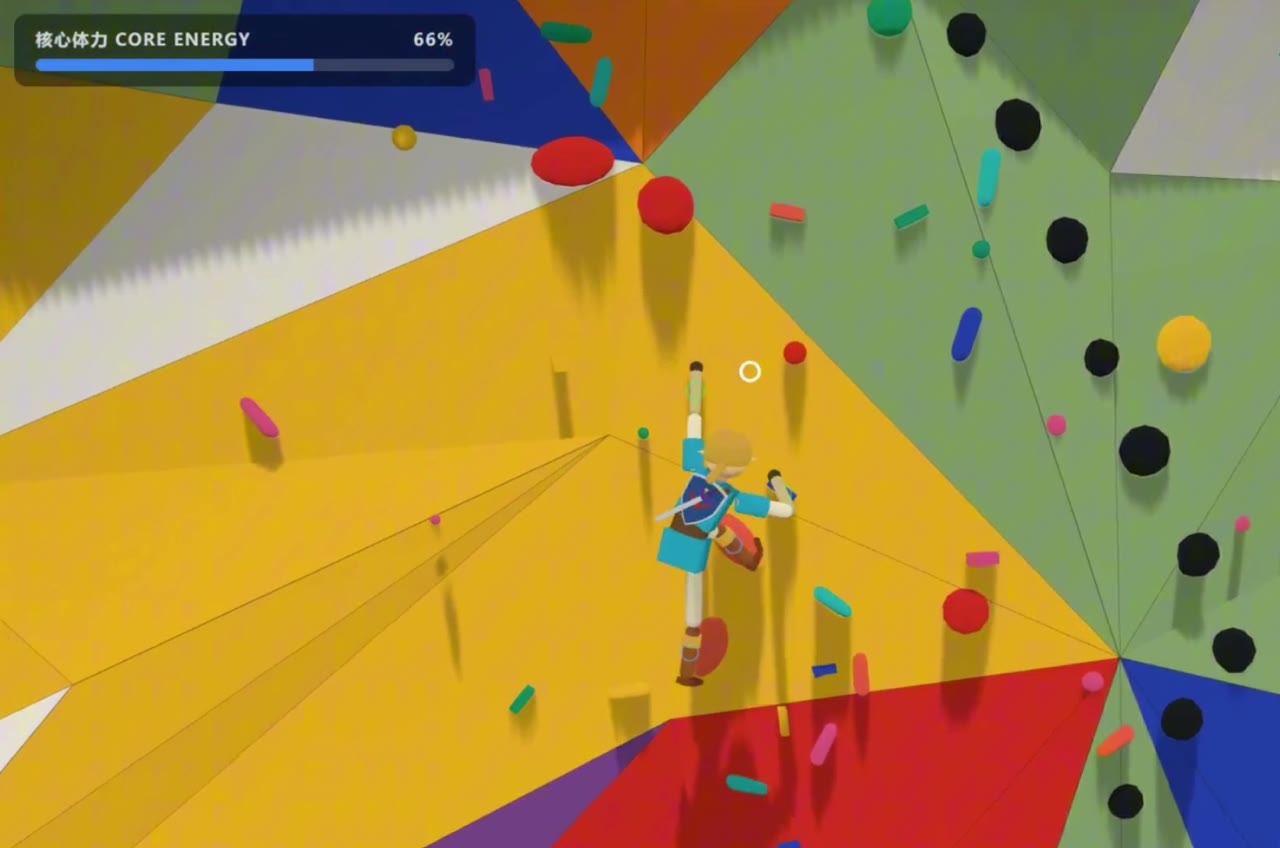
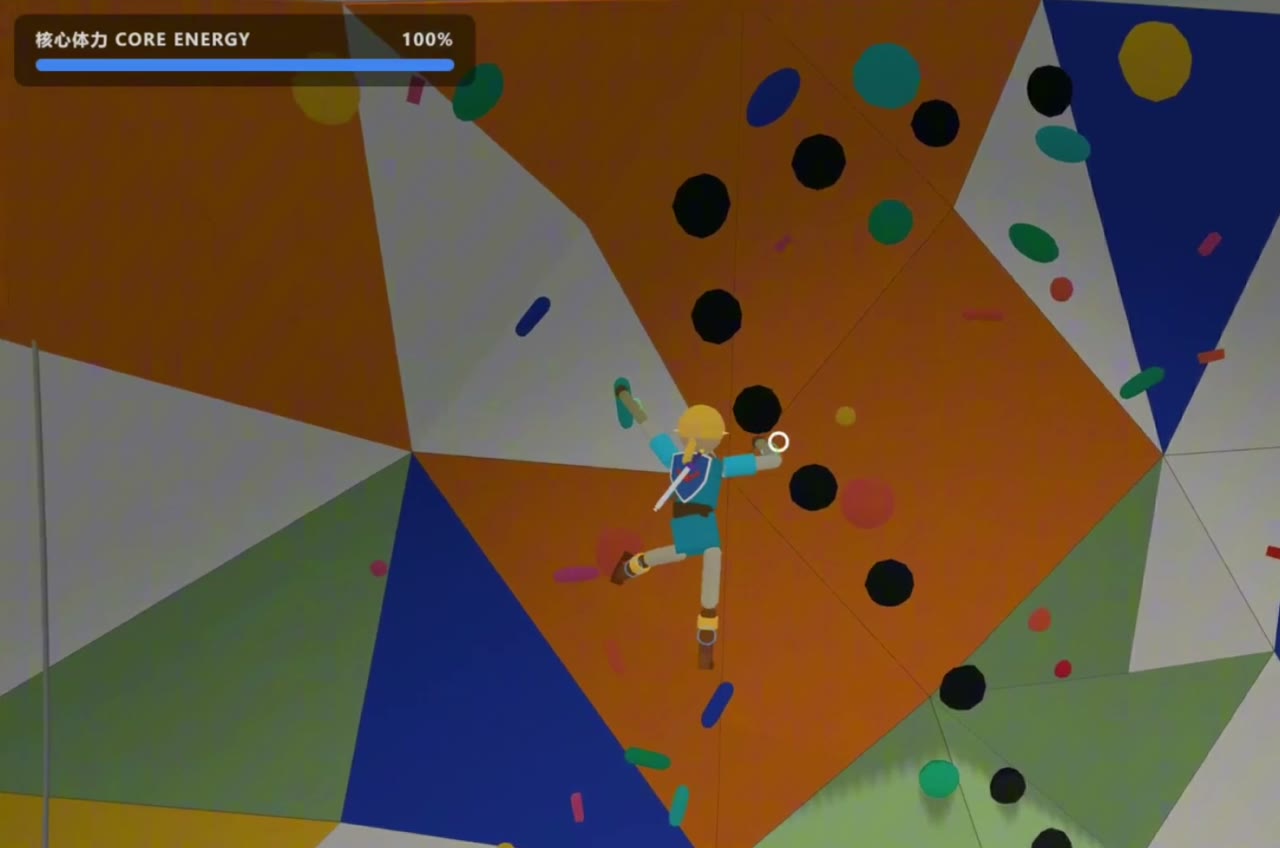
    这段是自己玩的实录:从地面起步、上墙、换手换脚、荡点、力竭、摔下来、爬起来、再上。规则是自己给自己加的——不允许踩黑点,所以画面里那些绕远的姿势不是演出来的。屏幕上唯一的 HUD 是核心体力条,掉到低位时屏幕四角泛红,撑不住就是真的掉下去。

    An unedited run: start from the floor, get on the wall, swap hands and feet, swing, run out of core energy, fall, get back up, keep going. The self-imposed rule — no black holds — is why some of the reaches look awkward. The only HUD is the core-energy bar; when it runs low the screen corners go red, and when it empties you actually come off.

    // 开发过程 · 五十三秒里的三个版本

    // 先有物理,后有场景 — 中间那段最丑的才是真正在解题的时候

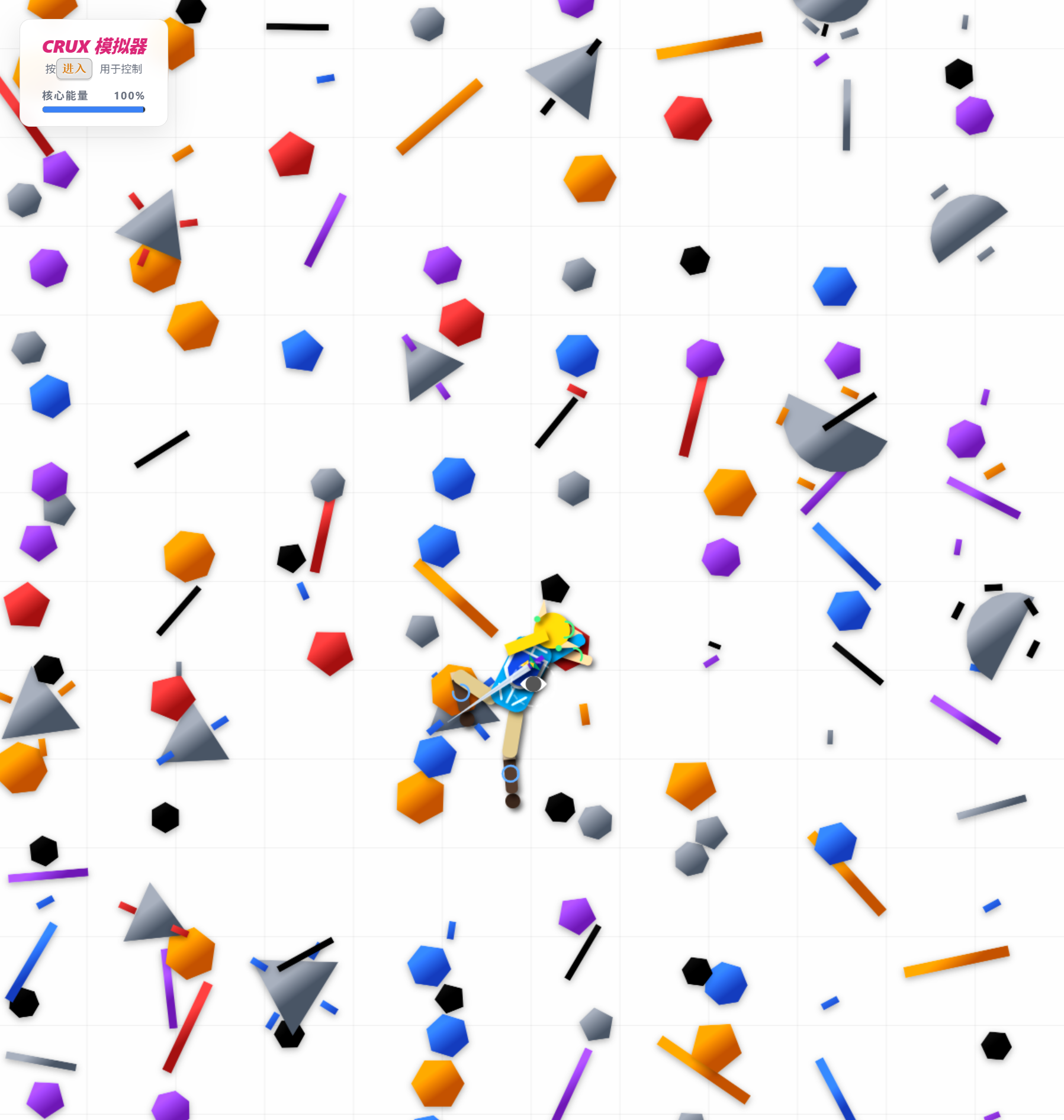
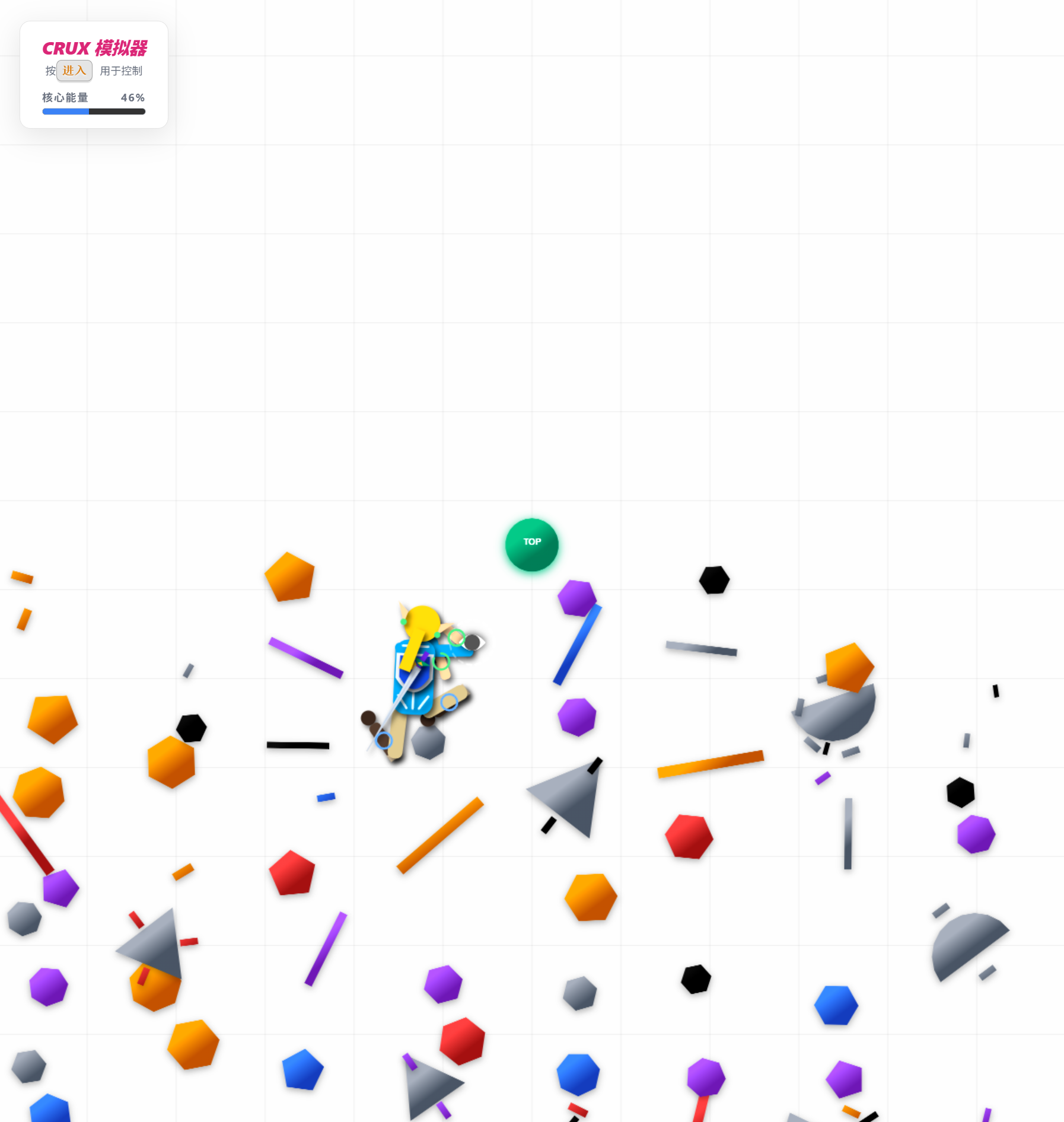
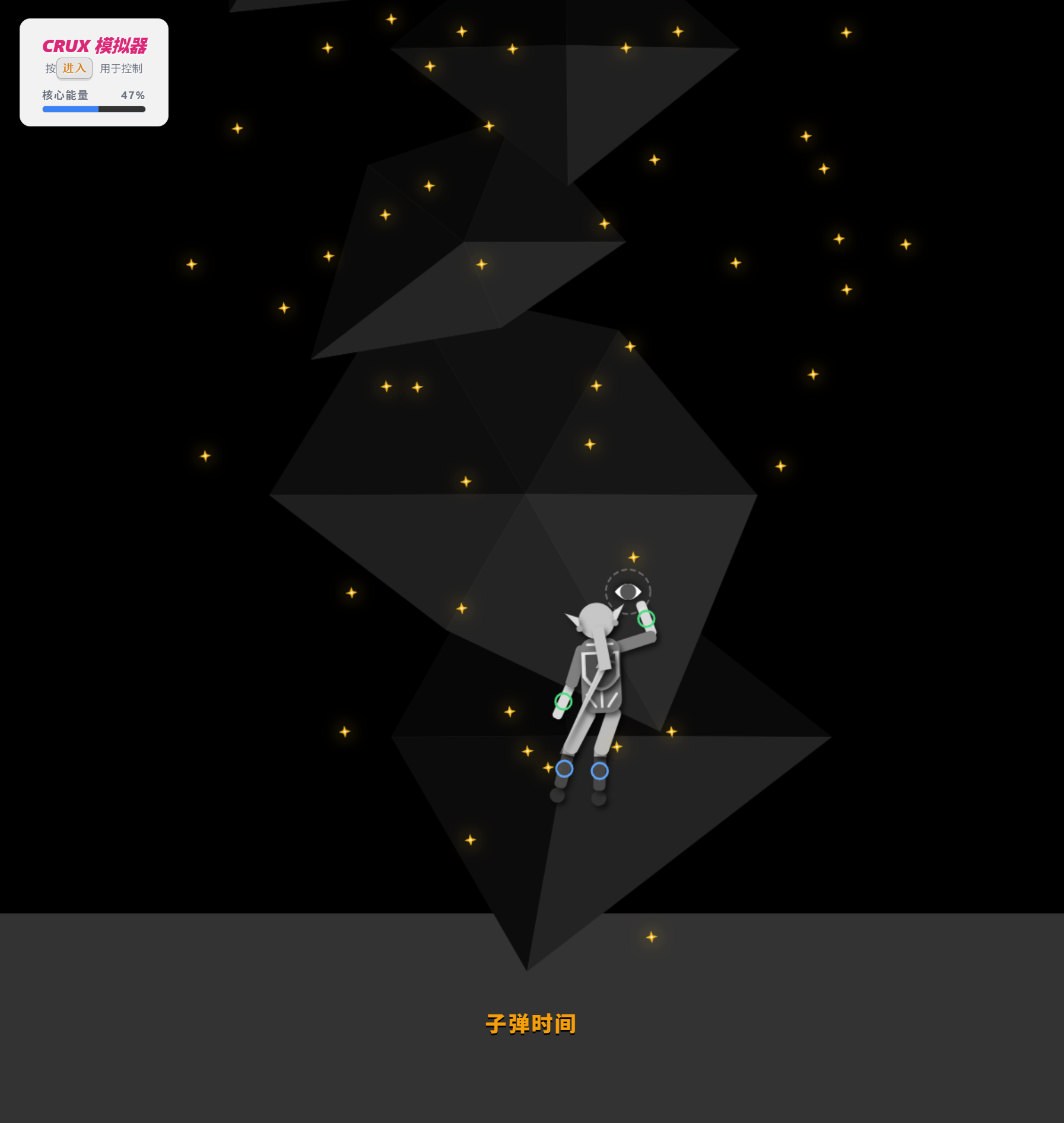
    这段是开发过程的剪辑,顺序就是它长出来的顺序:先是一片黑场,没有墙,只有一串浮在空中的岩点和一个能被推倒的布娃娃——那时候要验证的只有一件事,四肢分别抓上去之后,这个身体撑不撑得住。然后是一间素色的房间,墙有了,人却还在地上挣扎、手脚拧成不该有的角度——撕裂、弹飞、无端自转都是在这个阶段被一条条挖出根因的。最后是成型的岩馆,才轮到配色、屋檐、程序生成的线路。

    左上角那块灰色面板是当时的操作说明和本局 seed,后来被删掉了——屏幕上只留一条核心体力条,其余交给动作自己说。结尾那个「坠落失败」结算框,是这个项目里出现频率最高的一屏。

    A cut of the build process, in the order it actually happened. First a black void — no wall, just a string of holds floating in space and a ragdoll that could be knocked over; the only question then was whether the body could hold itself up once four limbs grabbed on. Then a plain room — the wall exists, but the figure is still thrashing on the floor with limbs bent into angles they shouldn't reach; tearing, bouncing and spontaneous spinning were each traced to root cause during this stretch. Only at the end does the climbing gym appear, and with it the palette, the overhang, the generated routes. The grey panel top-left is the old control legend and per-run seed, later deleted so the screen carries nothing but the core-energy bar. The "fall — failed" dialog at the end is the single most frequently seen screen in this project.

    // 3D · 全身没有一帧动画

    攀岩模拟器 3D · 悬挂姿态与岩点抓握
    攀岩模拟器 3D · 程序生成的岩壁与线路
    攀岩模拟器 3D · 屋檐段的换脚与重心转移
    // 主动布娃娃 — 不播动画,只施力;姿态是解出来的,不是摆出来的

    技术栈是 three.js + cannon-es,TypeScript。做法上刻意选了最难的一条:角色身上没有任何关键帧动画,每一个姿势都由关节力矩和伺服推出来。手抓上去是一个点约束,脚踩上去是另一个,躯干靠贴墙伺服和直立力矩维持——所以人的形状永远是"当前四个支撑点 + 重力"共同解出来的结果,换一块岩点,姿势自己就变了。

    这条路的代价是所有问题都变成物理问题。撕裂(胳膊被扯离躯干)是限位投影绕质心改写骨段、把关节枢轴扯开一条力臂长的裂缝,改成绕骨段自身枢轴旋转;撞墙弹飞是屏障用了弹性罚力、恢复系数接近 1,改成非弹性吸收;无端自转最麻烦——三处力的作用点和反作用点没对齐,每一步都往系统里净注入一点角动量,攒够了人就开始转。反作用力得施加在真正的载荷路径上(抓握锚点的世界坐标),悬挂时那份反作用由静态的墙承担,这在物理上是合法的。

    three.js + cannon-es, in TypeScript, taking the hard road on purpose: the character has no keyframe animation at all. Every pose is produced by joint torques and servos. A hand on a hold is a point constraint, a foot is another, the torso is held by wall-hugging servos and an upright torque — so the body shape is always solved from "the four current supports plus gravity". Move one hold and the pose changes itself. The price is that every bug becomes a physics bug: limbs tearing off came from limit projection rotating bone segments about their center of mass, prying open a lever-arm-wide gap at the joint pivot (fixed by rotating about the segment's own pivot); bouncing off the wall came from an elastic penalty barrier with restitution near 1 (fixed by absorbing normal velocity inelastically); and spontaneous spinning came from three places where a force and its reaction were applied at different points, injecting net angular momentum every step. Reactions now travel the real load path into the grab anchor, where the static wall legitimately carries them.

    // 摔倒之后 — 把最后一根保险丝也拔掉

    最难的一段不是爬,是爬不动之后怎么站起来。摔在地上的布娃娃要自己回到站姿:翻身趴俯卧 → 撑成四点 → 收膝迈成弓箭步 → 蹬起 → 补步站稳。中途曾经留了一个"强制起身动画"当保险丝,超时就把人瞬移回站姿;等自然链路跑通之后,这根保险丝被拆掉了——各段超时改成回翻身段重来,挣扎本身比瞬移像人。代价是理论上可能出现爬不起来的循环,这个风险是明知道的,选择先留着。

    这段路上最贵的教训是两条:一个关节如果有两套独立的约束机制(cannon 自己的锥形硬约束 + 自建的位置级投影),改任何一套的参考基准之前先确认另一套用的是不是同一份——两套基准一分家,求解器每一次迭代都在互相拧,扯出过一条 0.387 米的裂缝。以及位置伺服会积攒动量变成起跳:蹲起段的竖直推力不能盯位置,得盯爬升速度,再加一个调速器,谁想弹射都按住。

    The hardest stretch isn't climbing — it's standing back up. A ragdoll on the floor has to return to standing on its own: roll to prone, push to quadruped, tuck a knee into a lunge, drive up, catch a step. A "forced get-up animation" existed for a while as a fuse that teleported the body upright on timeout; once the mechanical chain worked end to end, the fuse was removed — each phase now retries from the roll instead, because struggling reads more human than teleporting. Two expensive lessons: when one joint has two independent constraint systems (cannon's own cone-twist hard constraint plus a hand-built positional projection), never re-base one without checking the other — once the two references diverge, every solver iteration fights itself, and it once pried a 0.387 m gap open. And a positional servo accumulates momentum until it becomes a jump: the vertical drive in the stand-up phase has to target climb speed, not height, with a governor on top to hold down anything trying to launch.

    // 手感不能靠感觉验收 — 所以先建评测,再改参数

    耦合到这个程度的参数,单跑一局什么都证明不了:同一套姿态参数,头的竖直度在不同法线、不同深度的岩点上能从 0.43 摆到 0.82。所以每一次改动都要过一组自动回归——climb-diagnostic 23 项(锚点收敛、关节越界、墙穿透、悬挂头竖直、自由腿下垂、脚点承重链……)、站立诊断 7 个场景、起身评测 ?getup 十二次摔倒、被抛飞自旋的 ?airfall 十二个方向,滑脱参数另有一个专门的评测页跑随机搜索。定版时的数字:getup 0/12 失败、平均 3.58 秒;airfall 0/12 失败。

    还有一套"给玩家用的"调试通道:Ctrl+` 开始逐帧录制,再按一次把整段序列(骨盆/胸/头的位置四元数角速度、四肢抓握与扭转越界、双脚偏墙角、着地脚数……)打包下载成 JSON。这是被逼出来的设计——我和玩家不在同一个浏览器进程里,读不到对方的 console,唯一能稳定跨进程传递的东西是文件。玩家只需要说"看最新那次录制"。

    At this level of coupling a single playthrough proves nothing: with one fixed set of posture parameters, head verticality while hanging swings from 0.43 to 0.82 depending on the hold's normal and depth. So every change has to clear an automated regression suite — 23 climb diagnostics (anchor convergence, joint violation, wall penetration, head verticality, free-leg hang, load path through foot holds…), 7 standing scenarios, a ?getup harness of twelve falls, and an ?airfall harness of twelve spin-launched directions, with slip parameters tuned by random search on a dedicated eval page. Final numbers: getup 0/12 failures at 3.58 s average; airfall 0/12. There is also a debug channel built for the player: Ctrl+` starts per-frame recording, and pressing it again downloads the whole sequence as JSON. That design was forced by a constraint — the player and I are not in the same browser process, so a file is the only thing that reliably crosses it.

    // 每一局都是新墙 — 程序生成,但保证可完攀

    岩壁是每局重掷种子生成的:墙面凸起、两块 volume 的位置、屋檐的高度与宽度、155 到 191 块岩点的分区撒点、整条主线路和顶点,全都跟着种子走(?seed= 可复现某一局)。岩点分型沿用 2D 的语汇:jug / sloper 是大点,能同时挂两个肢体;pinch / crimp / pocket 只暴露一个抓点,一个肢体就占满——用容量逼出换手换脚的顺序,而不是靠难度数值。

    踩过一个很有意思的坑:线路一开始是在平面上排的,但墙是 S 形曲面,横移 0.5 米能带来 1 米的 Z 变化,200 局抽查里真实三维间距最大 1.712 米,远超手长 0.85 米——看着规整,实际够不到。改成按曲面上的真实三维距离规划之后,复测 200 局最大间距 0.815 米、零处越界。

    美术是三渲二:平涂色阶、硬边阴影,试过描边又拿掉(低模平面着色上勾线会露缝、粗细不匀,反而脏)。配色规矩只有一条——大面积低彩度,高饱和只给小色块:建筑一律冷白到浅灰,饱和度全部留给岩点,用的是马蒂斯剪纸的颜料色;墙上的构成是康定斯基的圆、三角、斜线,摆在玩家背后和侧墙,转镜头才看得到,不跟岩点抢注意力。

    The wall is regenerated from a fresh seed each run — bumps, two volumes, the overhang's height and span, 155–191 holds across clustered zones, the main route and the top-out, all seeded (?seed= reproduces a run). Hold types carry over from the 2D version: jugs and slopers hold two limbs, while pinches, crimps and pockets expose a single grab point — capacity, not a difficulty number, is what forces the hand-and-foot sequencing. One instructive trap: routes were first laid out in the plane, but the wall is an S-curve, and 0.5 m of lateral travel can mean 1 m of depth — sampled over 200 runs, true 3D spacing peaked at 1.712 m against an 0.85 m reach. Replanning along true geodesic distance brought it to 0.815 m max, zero violations. The look is cel-shaded: flat color bands, hard-edged shadows, outlines tried and abandoned. The one color rule is large areas desaturated, saturation reserved for small blocks — the architecture stays cool white to grey so the Matisse cut-out palette on the holds can carry all of it.

    // 起点 · 2D 攀岩模拟器 Crux Simulator(Matter.js)

    攀岩模拟器 截图 01
    攀岩模拟器 截图 02
    攀岩模拟器 截图 03
    // 一次攀岩之后的问题:四肢分开控制,能不能做成手感

    灵感来自一次跟朋友去攀岩。攀岩最迷人的地方在于四肢的独立控制——每一只手、每一只脚都要单独发力,同时还得维持躯干平衡。于是操作方案就照这个映射:左键 = 左手,右键 = 右手,A = 左脚,D = 右脚,Q / E = 身体摆动。一个键管一条肢体,玩起来手忙脚乱,但那份手忙脚乱恰恰就是真实攀岩的感觉。

    2D 版做到后来长出了一整套周边:定线器(自己设计岩墙与路线关卡,可导出导入)、皮肤编辑器与皮肤注入插件、风格同步修改器。这套语汇——分型、容量、定线、皮肤——后来原样搬进了 3D。

    Born from a real climbing session. What makes climbing addictive is independent four-limb control: each hand and each foot pulls on its own while the core holds everything together. The control scheme is that mapping, literally — LMB left hand, RMB right hand, A left foot, D right foot, Q/E body sway. One key per limb; it is genuinely clumsy to play, and that clumsiness is the sensation. The 2D version grew a toolset around it: a route setter for designing walls and levels, a skin editor with an injector plugin, and a style-sync tool. That vocabulary — hold types, capacity, route setting, skins — carried straight into the 3D build.

    攀岩模拟器 — 从 2D 手感原型到 3D 主动布娃娃

    同一个问题问了两遍。2D 版回答的是"四肢分键能不能成为一种手感";3D 版回答的是"如果连姿势都不许画,只许算,这份手感还立得住吗"。后者花掉的时间是前者的很多倍,而且大部分不是花在攀爬上,是花在撕裂、弹飞、自转、僵死、摔倒之后爬不起来这些没人会写进玩法文档的地方。真正的产出也不只是那个能玩的原型,而是一整套让"手感"这种主观东西可以被回归测试的评测体系。当前版本 v0.2,仍在原型阶段。

    The same question, asked twice. The 2D build answered "can one key per limb become a feel?" The 3D build answered "does that feel survive when no pose may be drawn, only solved?" The second took many times longer, and most of it went not into climbing but into tearing, bouncing, spinning, seizing up, and failing to stand back up — the parts no design doc contains. The real output is not only a playable prototype but a regression suite that makes something as subjective as feel testable. Currently v0.2, still a prototype.

  • pnpm orchestrate --agent=BaziLifeCurves AI agent [Click to Execute]

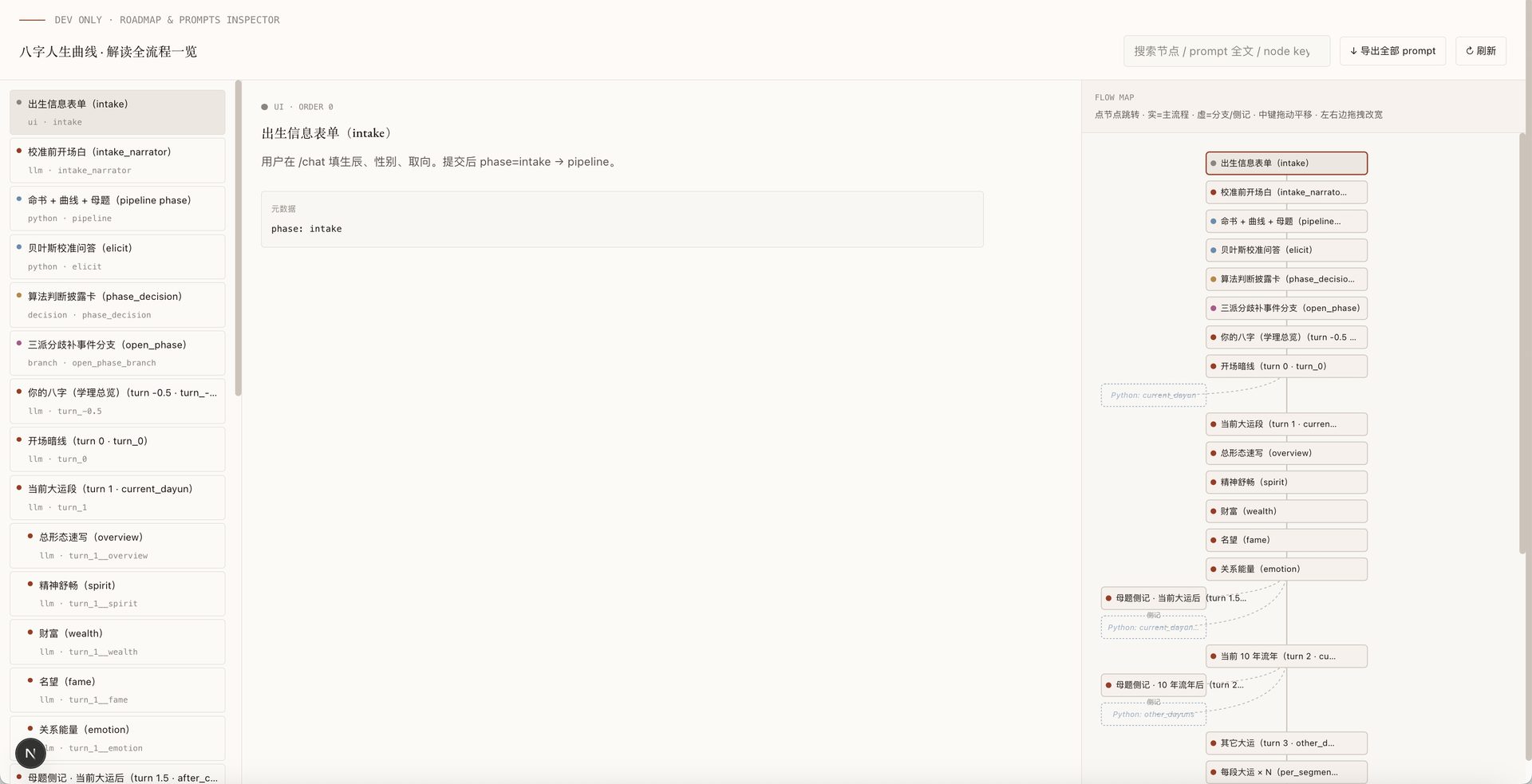
    // 方法论 ① · /dev/roadmap 截图

    bazi /dev/roadmap · prompts inspector flow map
    // 方法论 ① · 自己写 flowmap 来调自己的 agent

    开发 agent 的第一件事不是写提示词,而是把整套编排骨架画出来。/dev/roadmap 是项目内置的开发态工具——反射 prompts.ts + DELIVER_TURNS,自动生成一张可点击、可跳源、可在线打补丁的有向图,覆盖 21+ 节点 × 14 个解读轮次(含子段)× pipeline 6 个流式阶段 × 8 道审计闸

    右侧还挂了一张 SVG 动态流程图:主轨竖线走主流程,虚线侧轨画分支——「三派分歧才走的 open_phase」「love_letter 才触发的 turn 7」「母题侧记」一眼分清;点节点跳详情,左侧时间轴自动滚到对应行。详情面板能看 system prompt 全文、一键 vscode:// 跳源,也能在线编辑——保存前先看 diff 预览,保存后自动写回源文件并留 .bak.<ts> 备份。

    大部分团队靠 LangSmith / LangFuse 这类外部观测工具。我选择反射自己的源码画图——不依赖第三方、改提示词时不用切窗、调试时不是 grep 加 console.log,而是看着流程图找出哪个节点没跑或跑错。这是一种工程哲学:承认 agent 编排会复杂到肉眼无法维护,所以在写 agent 的同时,专门为自己造自省工具。

    Step one of building any agent: draw the orchestration map. /dev/roadmap reflects prompts.ts + DELIVER_TURNS into a clickable, source-jumping, in-browser prompt-patcher — covering 21+ nodes × 14 deliver turns (with sub-segments) × pipeline 6 streaming stages × 8 audit gates. A live SVG flow chart on the right shows main track + dashed side branches (open_phase, love_letter turn 7, motif side notes); the detail panel shows full prompts, one-click vscode:// jump-to-source, and inline editing with diff preview and automatic .bak.<ts> backup on save. Most teams reach for LangSmith / LangFuse; I built it from reflection on my own source — agent orchestration grows too complex for eyeballs alone, so the introspection tool is a first-class citizen.

    // 方法论 ② · chart.html 出图 + 流式解读

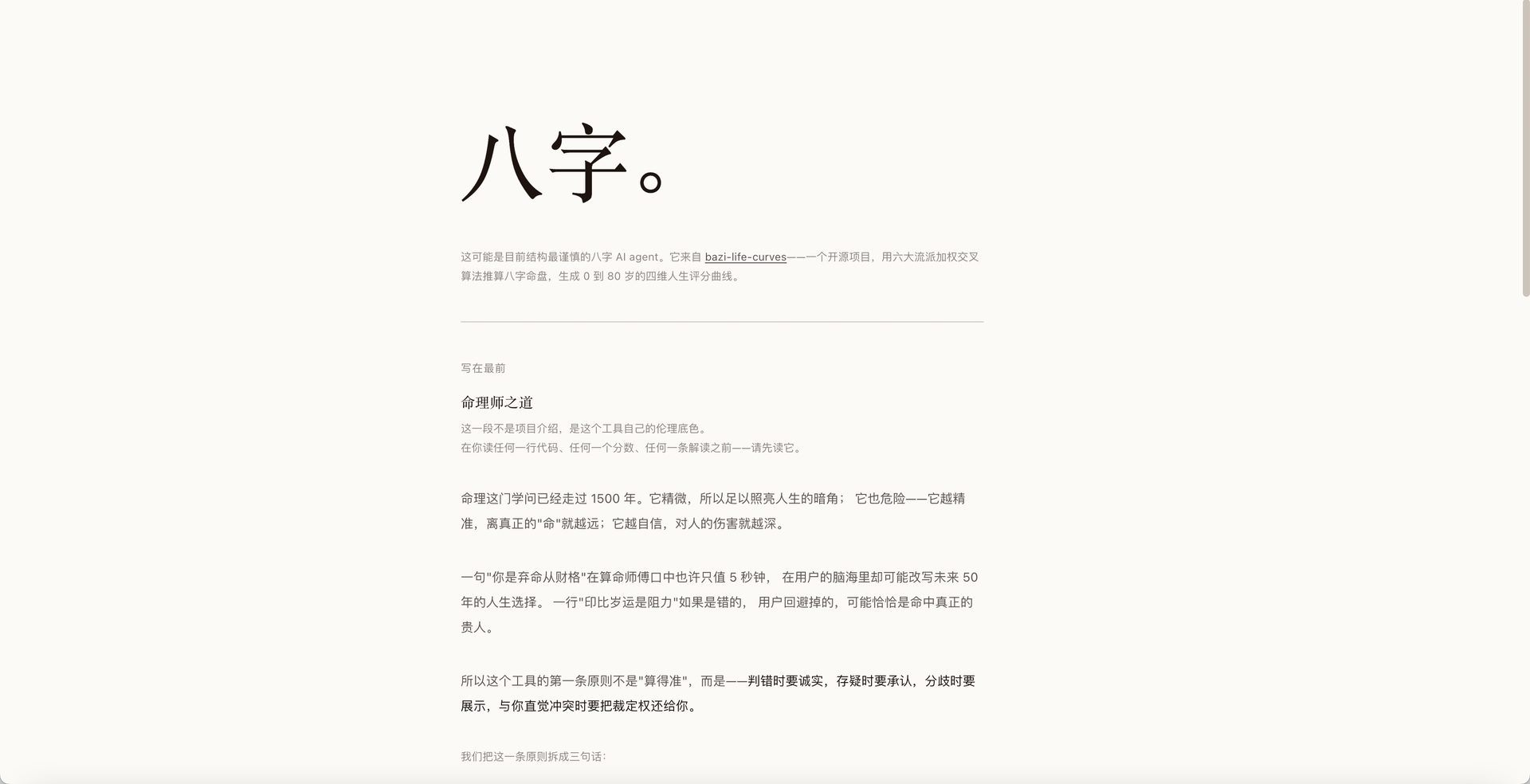
    bazi · 命理师之道 · 命书速览全图
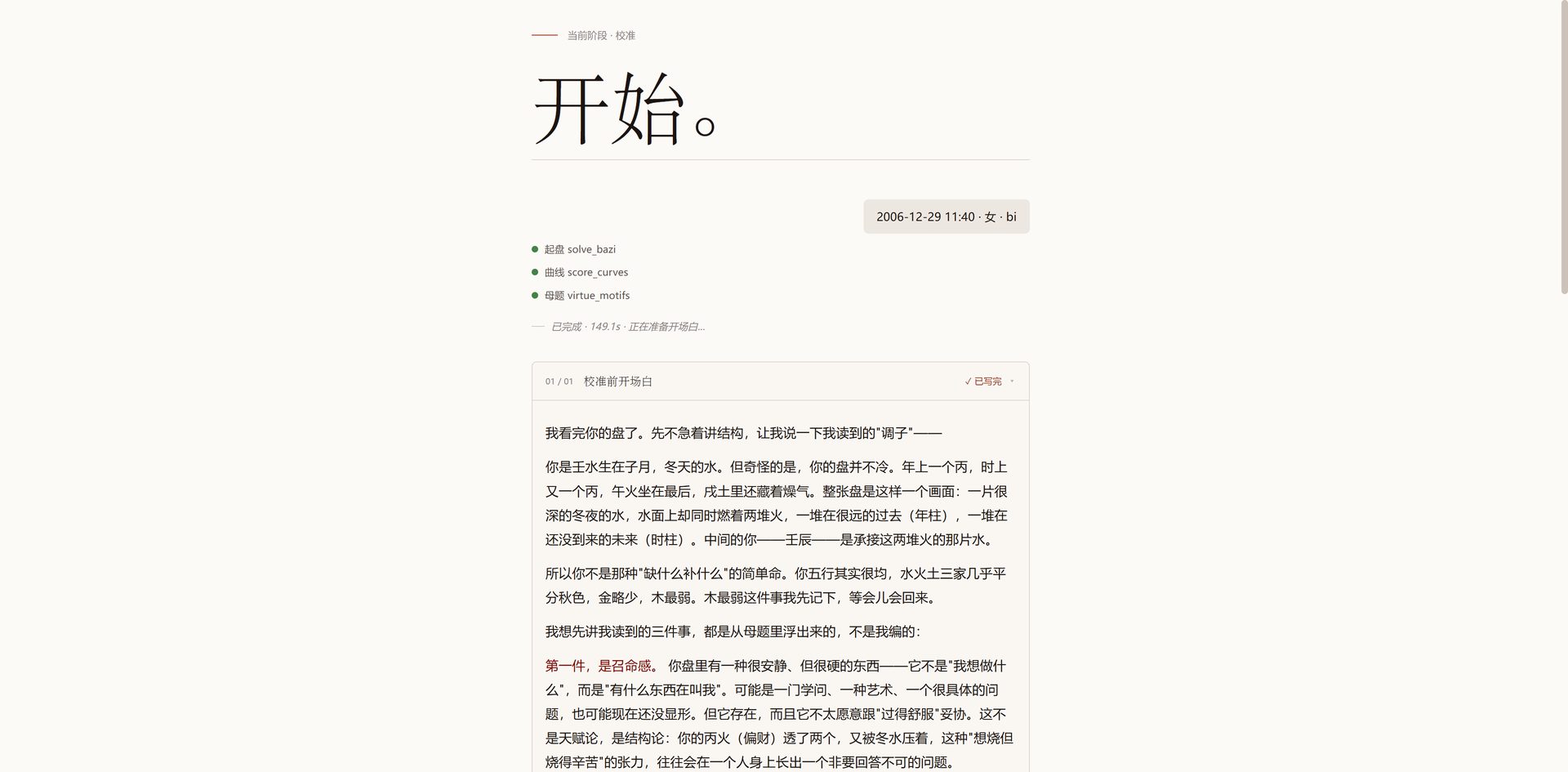
    校准前开场白 · 流式速读
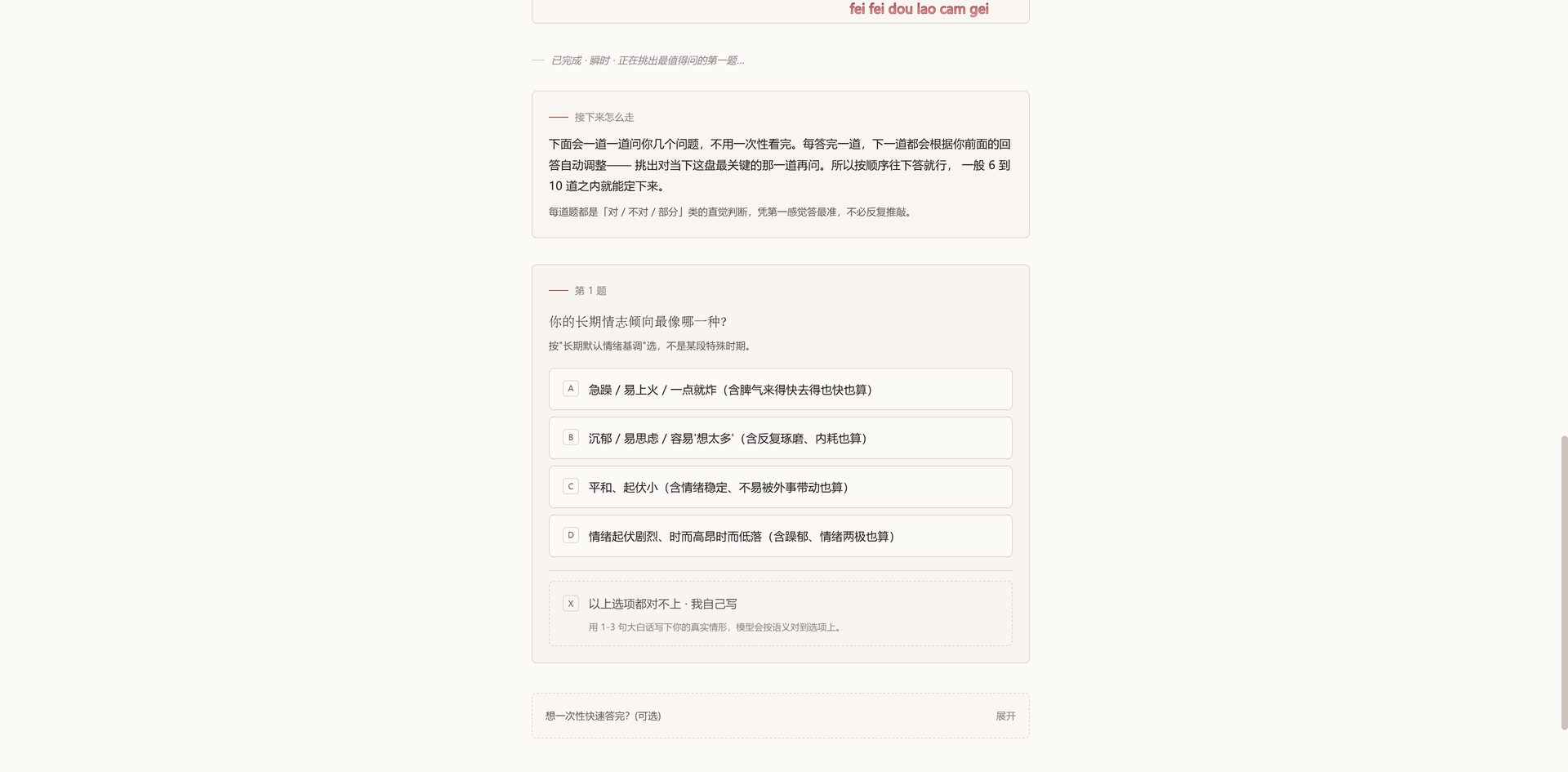
    贝叶斯校准 · 增益最高的下一题
    // 方法论 ② · 决策权留给数学,叙事权留给 LLM

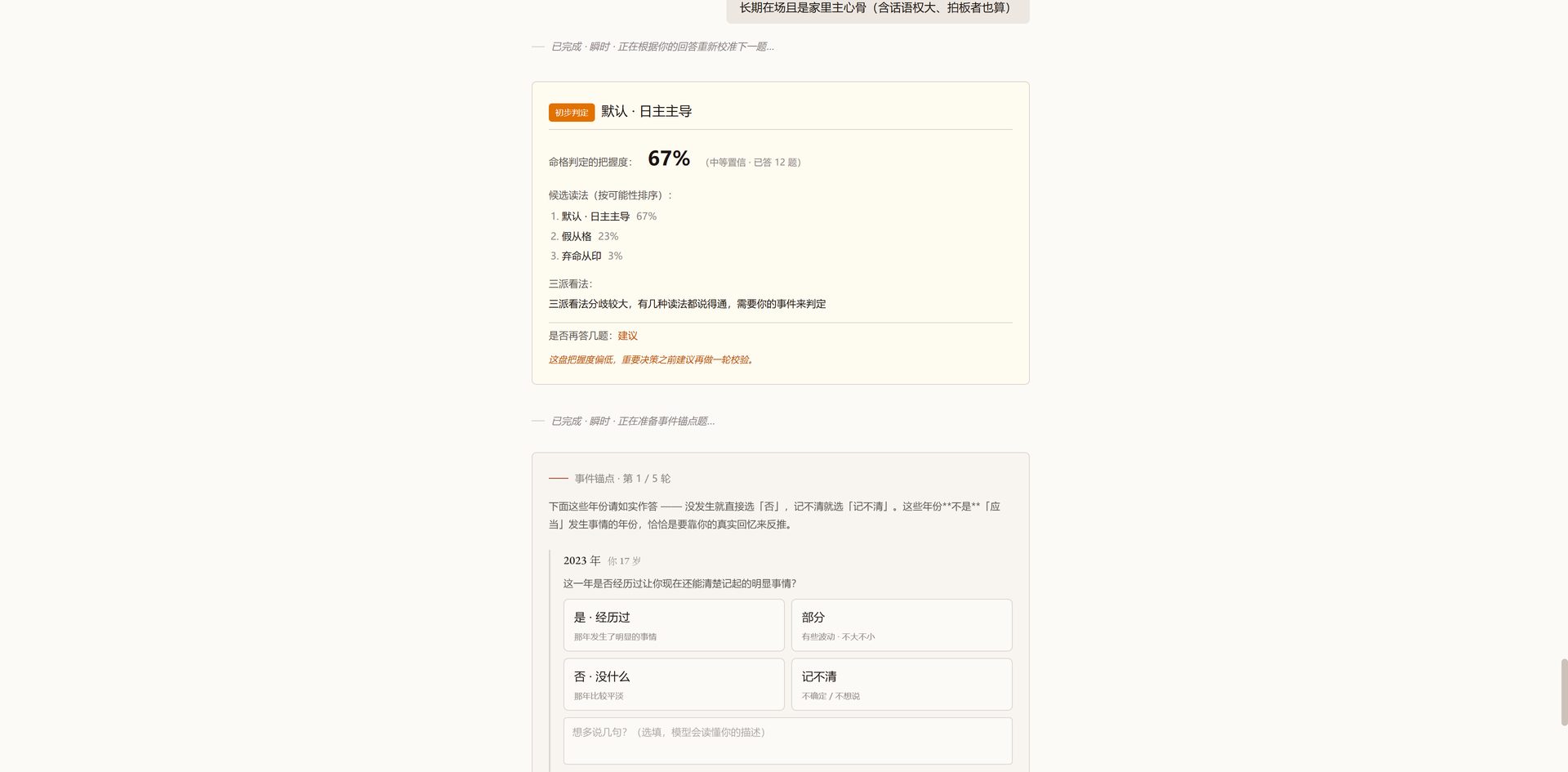
    所有"未知量"都不允许问 LLM 怎么办。必须先用识别器算出先验——14 个候选命格的初始概率分布,再用证据(用户答题)一题一轮更新成后验,最后用置信带决定下一步:≥ 0.80 直接采纳 / 0.60-0.80 采纳但加保留 / 0.40-0.60 触发追问轮 / < 0.40 拒绝出图。LLM 看到的提示词永远是"已锁死的事实 + 已计算的后验"——它只负责把数字翻译成大白话

    正因为这条,几个看似零散的设计连成一条线:--answer-source agent_inferred 永久退出(agent 自答会让似然 = 先验,贝叶斯框架失效);后验和信息增益写到点开头隐藏的状态文件里不让 LLM 看见(看见就会编故事自洽);算法不收敛时让用户补事件,LLM 只做"事件 → 结构化候选"的转换,重算决策的活还给 multi_school_vote.vote()决策权留给数学,叙事权留给 LLM。

    No unknown quantity is ever delegated to the LLM. Every decision starts with a prior (a distribution over 14 candidate phases from the detector), updated turn-by-turn into a posterior via user answers, and gated on confidence: ≥ 0.80 adopts; 0.60-0.80 adopts with caveat; 0.40-0.60 triggers another round; < 0.40 refuses to render. The LLM only ever sees locked facts plus computed posteriors — it translates, never judges. This makes the rest fall into place: --answer-source agent_inferred hard-exits because LLM-generated answers collapse the Bayesian update; posterior and information gain live in dot-prefixed state files the LLM never sees, severing the channel through which it might rationalize its own guesses; when consensus collapses, the LLM only converts user-supplied events into structured candidates and hands control back to multi_school_vote.vote(). Math owns judgment. The LLM owns voice.

    事件锚点收敛 · 命书重写
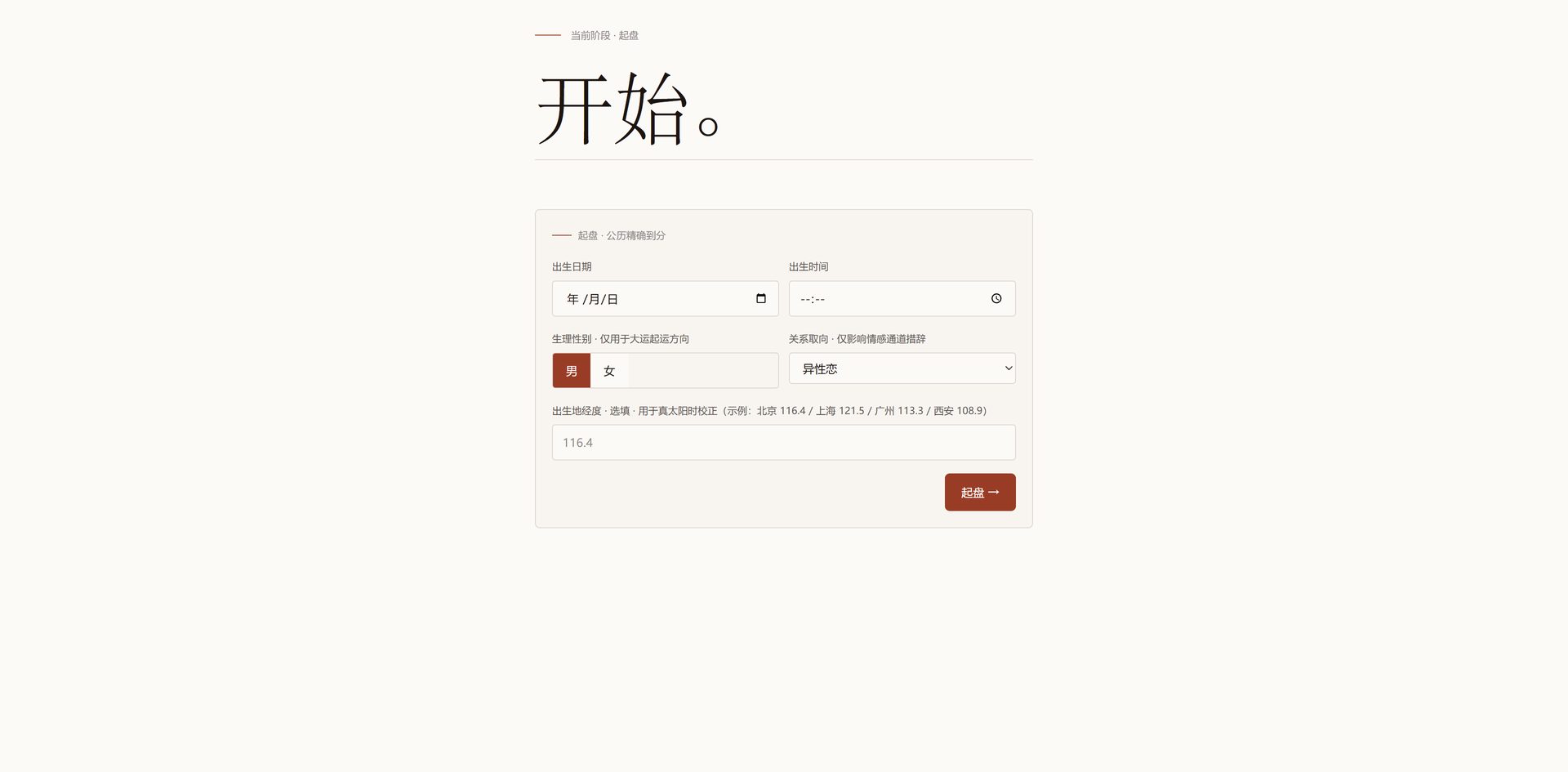
    /chat 起盘表单 · 公历精确到分
    // 工程实现 — 两条方法论落到代码里的样子

    ① 双层校验 + 重试反馈环:每段 LLM 输出先过 JS 快校验,再过 Python 重校验。违规理由直接拼到下一轮提示词末尾让模型自己改,最多 3 次,重试期间不污染半成品。两边校验同源,不会漂移。

    ② 反系统化铁律:同一母题在多个位置出现时,相似度必须 < 0.6——逼 LLM 换角度、换动词、换比喻,而不是复制原句。把"读起来不像模板"这种主观感觉直接写成可校验的数字。

    ③ 真·流式 agent,不是流式显示:脚本算一段就吐一段、agent 立即写 + 推送 + 暂停一轮,下次再续。deliver 阶段更狠——当前大运、其它大运、关键流年全拆成 N 个独立 LLM 调用(当前大运 1 综述 + 4 维分述 = 5 个),单图一次跑 20-30+ 次 LLM,前端能实时看见"正在写第 3 段大运"「下一个:2031 年」。

    ④ 8 道出图时审计闸:节点顺序、流式 emit、母题连续性、收尾段计数、过早决策……任一闸不过,整图拒出。

    ⑤ 8 阶段对话状态机:intake → pipeline → elicit → deliver → … → locked,只允许向前推进,所有外部请求走单一入口闸——比把对话历史一股脑塞进 messages 数组干净得多。

    Five consequences of the two methodologies above: (1) Two-layer validation with retry feedback — every LLM turn passes a JS fast-check and a Python deep-check; violations get appended to the next prompt for the model to fix, up to 3 retries, without polluting partial state. (2) Anti-systematization rule — the same motif appearing in multiple anchors must score below 0.6 paraphrase similarity, forcing the model to vary angle, verb, and metaphor instead of repeating the source sentence. (3) Real streaming agent, not streaming UI — Python yields stage-by-stage; agent writes, pushes, pauses; resumes on the next turn. Deliver stages further unroll into N independent LLM calls (current dayun = 1 overview + 4 dimensions; each other dayun; each key year), yielding 20-30+ calls per chart, with progress chips so users see "writing dayun 3 of 5" or "next key year: 2031" live. (4) Eight render-time audits — node order, streamed emit, motif continuity, closing-section counts, premature decision, etc. Any gate fails, no chart. (5) Eight-phase conversation state machine — intake → pipeline → elicit → deliver → … → locked, forward-only, single input gate. Cleaner than dumping history into a messages array.

    Live yourbazi.online
  • python3 run_ai_games.py --engine=Gemini3 [Click to Execute]

    // Sunhike

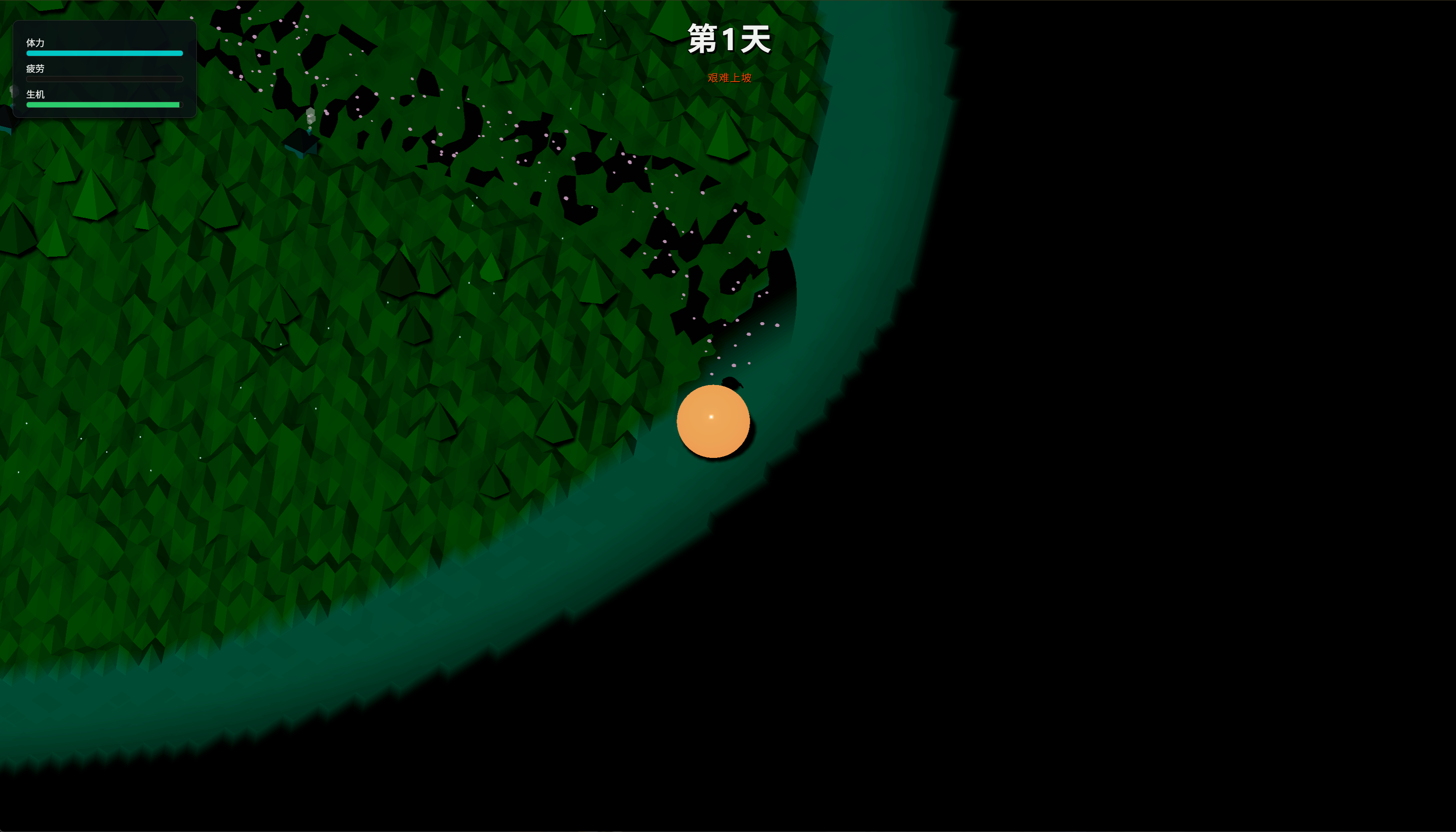
    Sunhike 截图 01
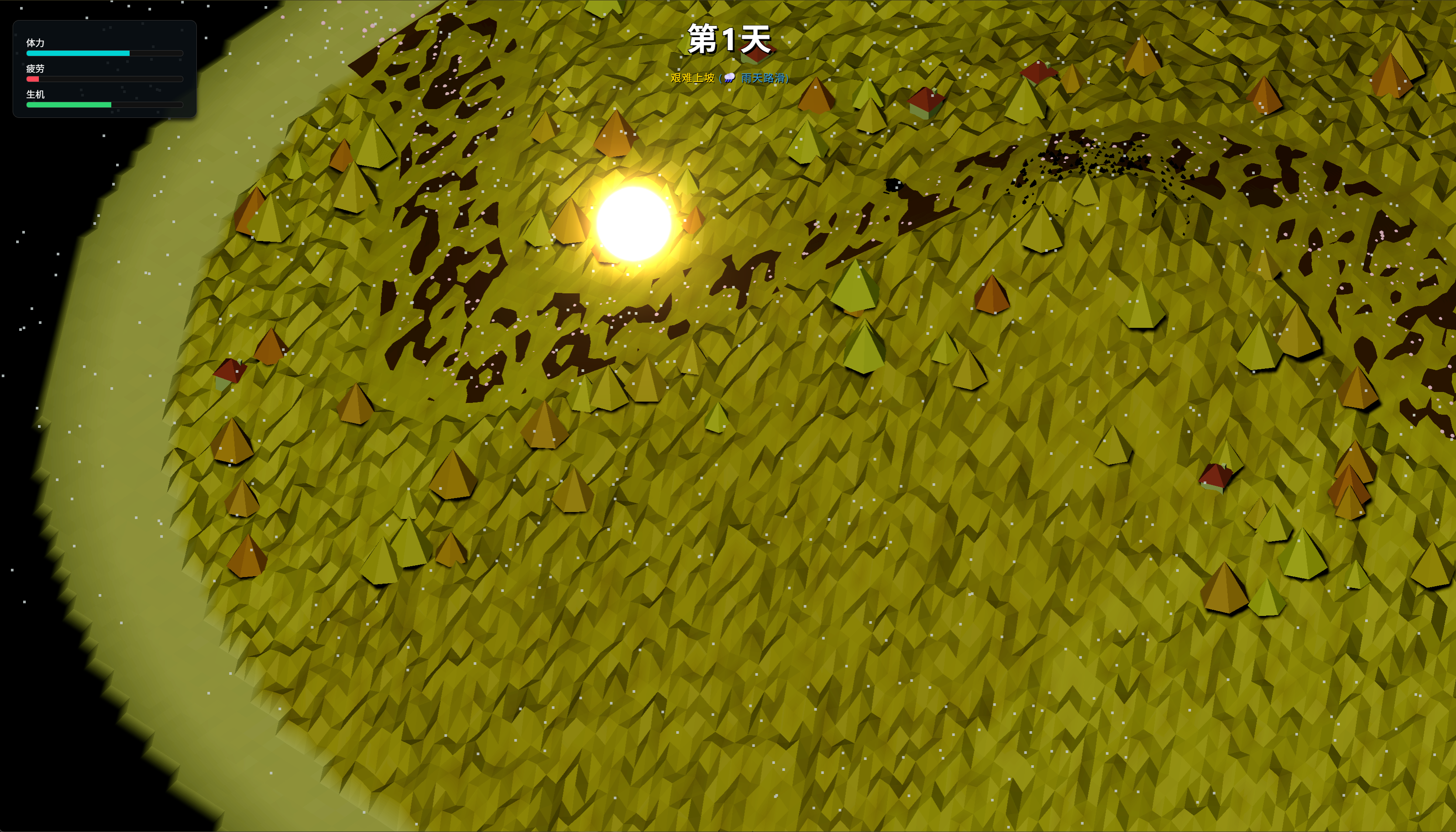
    Sunhike 截图 02
    // Sunhike · Scarab's Solar Odyssey

    灵感来自西西弗斯的故事——一只圣甲虫每天要将一颗太阳从山脚推上山顶。大山的全部光阴由这颗太阳决定:推得太快会灼伤大地、蒸干水源;推得太慢则夜晚过长,树木枯萎、万物凋零。玩家需要以恰当的节奏将太阳升起、悬停、再缓缓落下,维持整座山一天的完整日照周期。太阳坠落太快还可能摔碎——在"让世界活着"与"不把太阳弄丢"之间,找到那条微妙的平衡线,就是这个游戏的全部乐趣。

    Inspired by the myth of Sisyphus: a scarab beetle must push the sun from the base of a mountain to its peak each day. The entire mountain's cycle of light depends on this sun — push too fast and the land scorches dry; too slow and endless night starves the forest. The player must find the delicate rhythm of ascent, zenith, and controlled descent to sustain one full day of sunlight without shattering the sun on the way down.

    AI 游戏开发 — Sunhike

    在 AI 爆发的时代,我尝试使用 Gemini 和 Cursor 突破代码能力的限制,将脑海中的游戏机制直接落地。这不仅是技术实验,更是对叙事媒介的拓宽——《Sunhike》用一只圣甲虫推太阳的隐喻重述了西西弗斯的故事。

    // 攀岩模拟器(2D / 3D)已独立成一栏,见上一条 crux-simulator
    Crux Simulator (2D / 3D) has its own entry above: crux-simulator.

    In the era of AI, I used Gemini + Cursor to bypass traditional coding barriers and bring game concepts directly to life. Sunhike retells the Sisyphus myth through a sun-pushing scarab.

  • node execute.js --project=LittlePlan [Click to Execute]

    // LittlePlan · Intro

    // Little Plan · 全年规划工具

    市面上几乎所有日历和规划工具都在回答同一个问题:今天做什么?但我想要的是另一个维度——这一整年,我在哪里?飞书可以做到,但我不打算每天开机就登飞书翻自己的私人待办。所以我自己做了一个。Little Plan 的逻辑分两层:年度和月度用甘特图,不用日历看板——甘特图能让你看见时间的分量,而不只是一格格方块。日视图更极端:只有昨天、今天、明天,就这三天。它挂在桌面上,每天开机自动启动。每次打开电脑的第一眼,不是消息,而是自己这一年还剩下多少宏图伟业。

    Almost every calendar app answers the same question: what do I do today? I wanted a different question answered — where am I in the full year? Little Plan works in two layers: annual and monthly views use Gantt charts (not calendar boards), making the weight of time visible rather than abstract. The day view shows exactly three things: Yesterday, Today, Tomorrow. It mounts to the desktop and launches on startup — every morning, before the noise starts, you see how the year is going and what today's work means inside the larger arc.

  • ssh root@feishu_workflow [Click to Execute]
    // 飞书制片表 v4.1 · AnimeTrack 的前身

    在 AI 工具尚不成熟、还没有能力直接 Wire Coding 的阶段,我选择在飞书多维表格中搭建整套制片工作流。它后来演化成了 AnimeTrack。感兴趣的话,可以下载完整的多维表格文件。

    Before AI coding tools were mature enough for direct application development, I built a full production workflow inside Feishu's multi-dimensional tables — the early prototype that later evolved into AnimeTrack.

    制片表 v4.1 (公版).base // 飞书多维表格 · 可直接导入

    // 业务流程改造 · 翟家班数字化转型

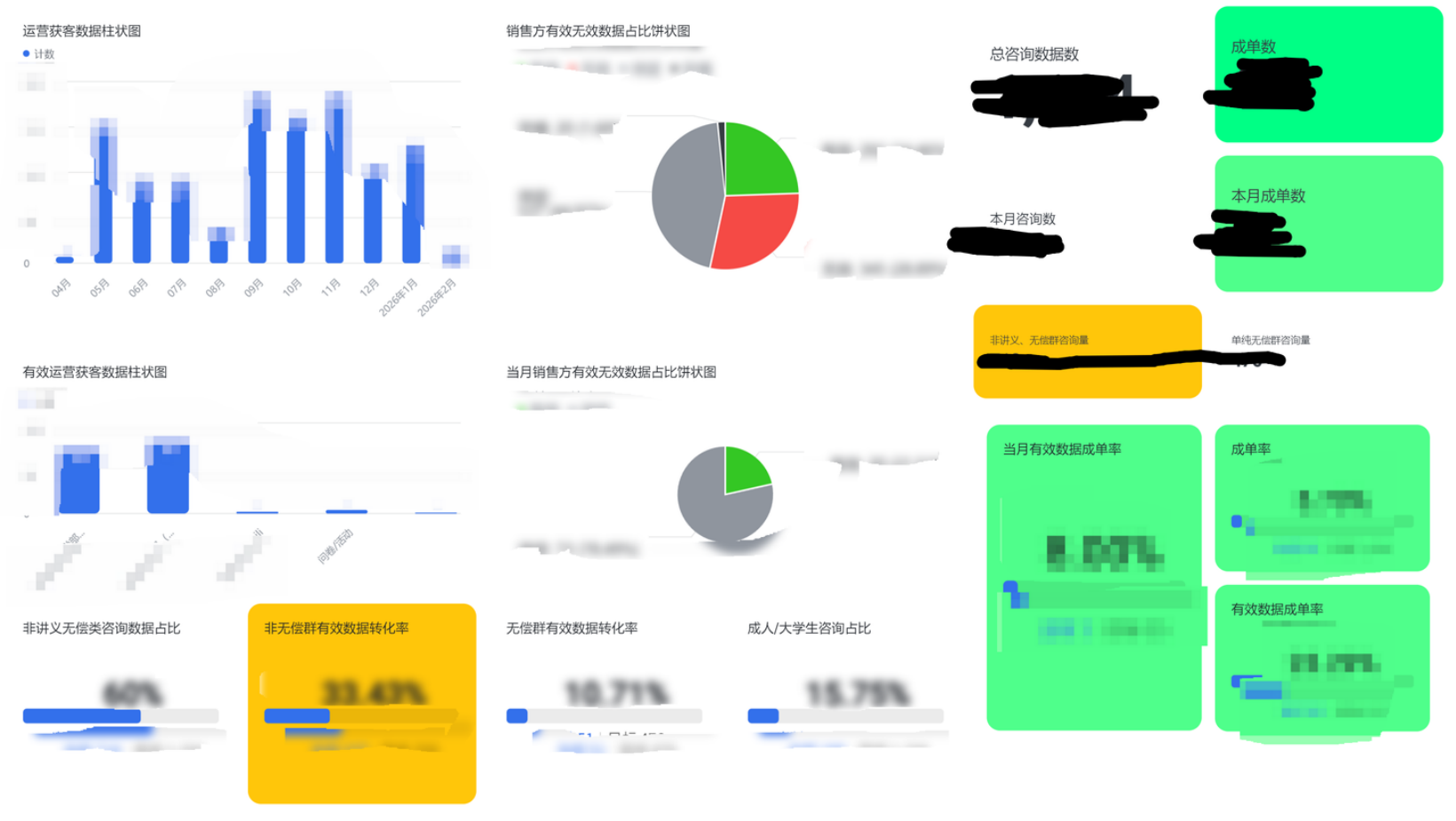
    飞书数据看板
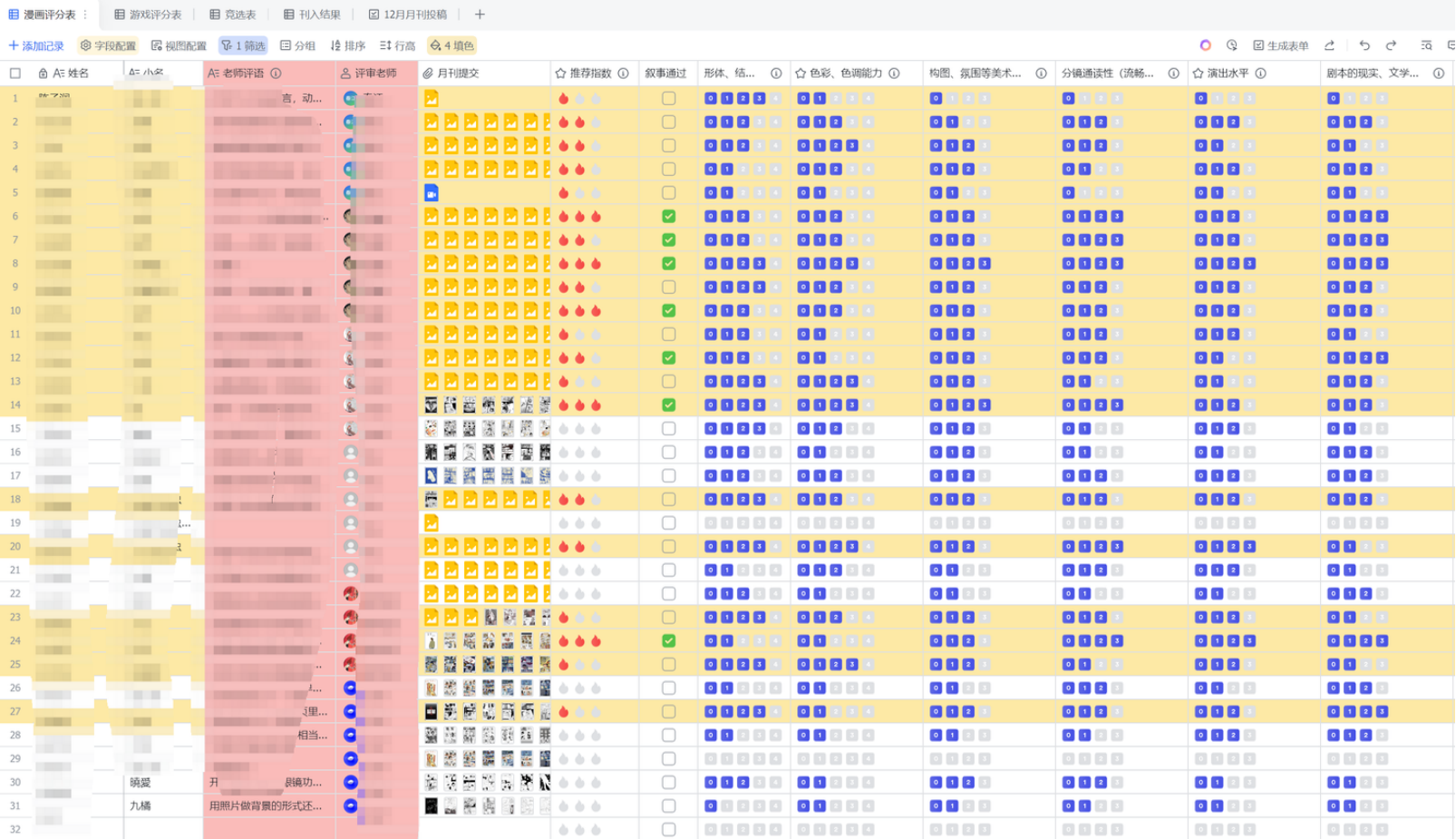
    漫画评分多维表格
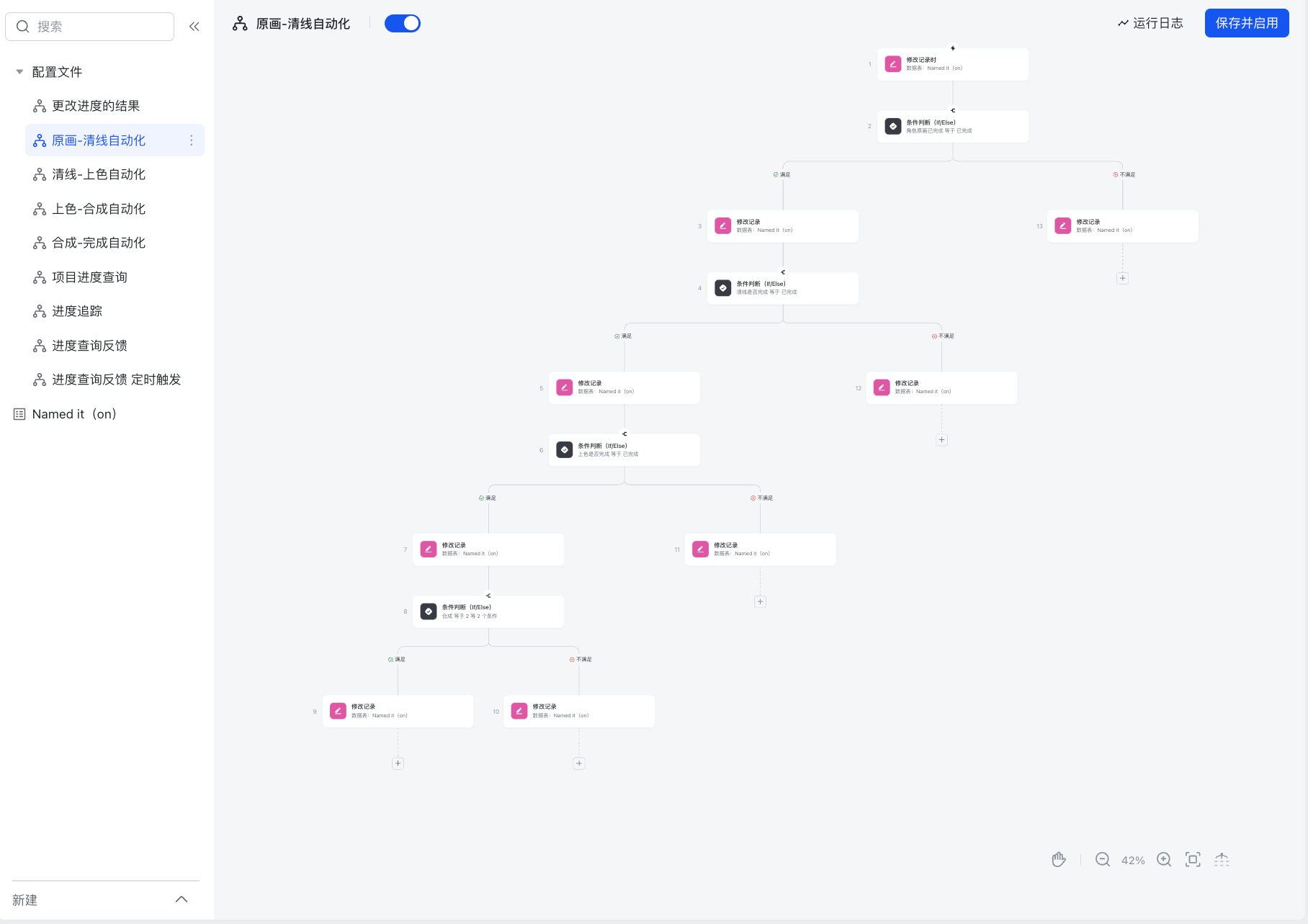
    原画-清线自动化 workflow
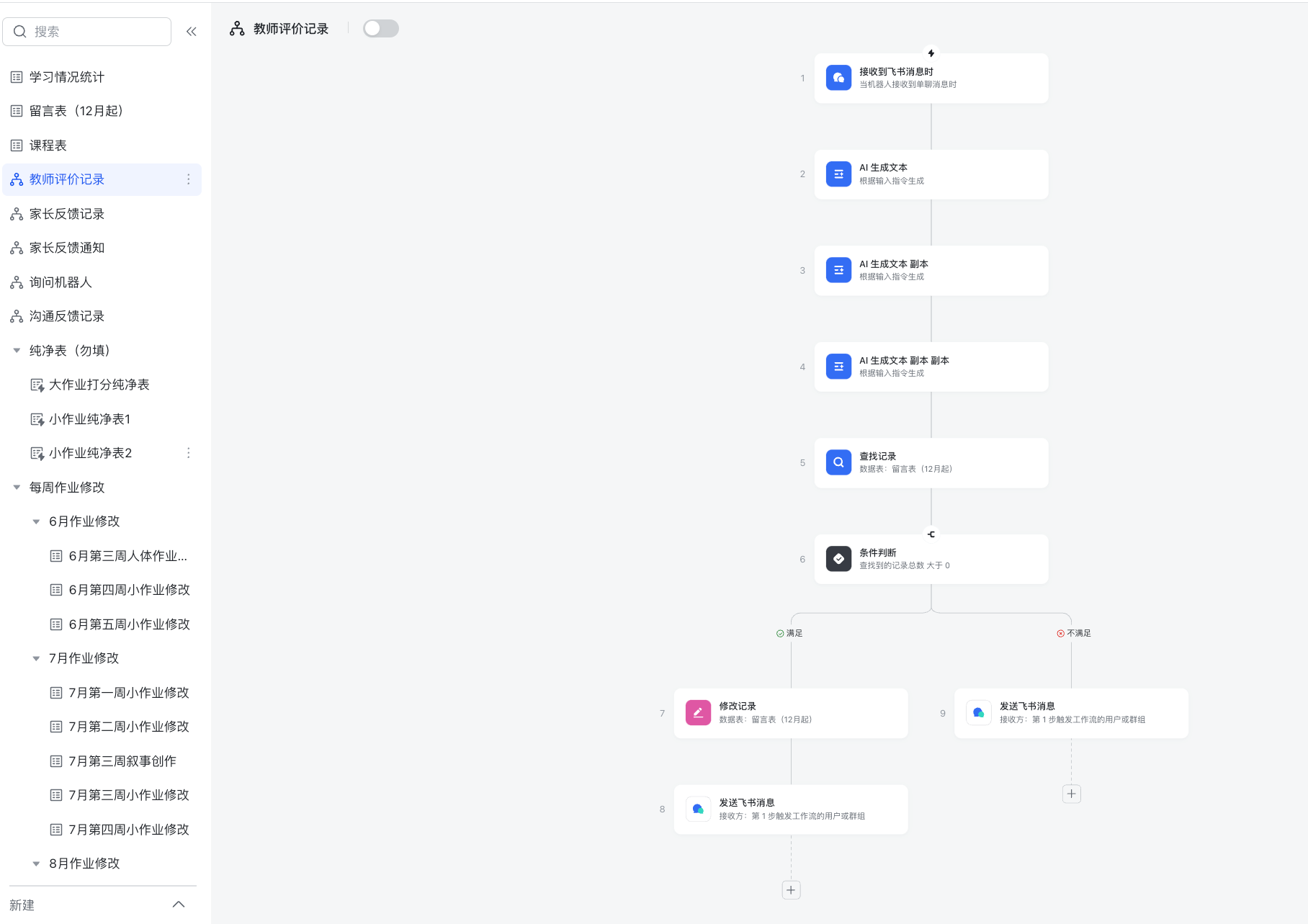
    教师评价记录 workflow

    业务流程改造 — 翟家班数字化转型

    这四张截图展示了我之前在一家大型传统艺术机构工作时的成果。当时公司的运作方式非常传统,基本靠纸面和人力沟通。

    我作为战略总监负责公司整体运营,期间对全公司的工作流进行了大幅度改造:将所有业务流程搬到线上,统一在飞书上运行;为每个部门建立了标准 SOP;规范了绩效考核体系;整合了销售端与企业微信的数据对接。通过将外部数据抓取到表格中,每月进行核对并根据数据进行复盘,这一整套数字化的工作方式都是由我引入并落地的。

    As Strategic Director at a traditional art institution, I led a full digital transformation: migrated all workflows to Feishu, established department-level SOPs, standardized performance review systems, and integrated sales data with WeCom. Monthly data reviews replaced paper-based management entirely — all systems designed and implemented from scratch.

许宸扬 / Chenyang Xu
QR Code

// about.me

B.F.A. and M.F.A. in Fine Arts, Central Academy of Fine Arts.
Artist, Bytedancer, Animation director, Creator.

Emailchizhu1208@163.com

Phone+86 182 0172 1660

WeChatBackto20211996 / chizhu0056

[ ESC / click to close ]